Video Marketing
SubtitleGenerator
SubtitleGenerator does one job in one browser tab: it turns the speech in your video into styled, timed subtitles, flags the words it is unsure about so you can fix them in seconds, and exports either a burned-in video or a subtitle file. It launched on 22 August 2026 and finished #3 of the day on Product Hunt with 216 points and 10 comments.
Its distinguishing decision is privacy-first engineering that matches how we build our own tools: your video file never uploads. Only the extracted audio is sent for transcription (and deleted after), the final video renders in your browser, and the first video requires no signup at all. That makes it a sensible choice for client footage or anything you would rather not hand to a cloud editor.
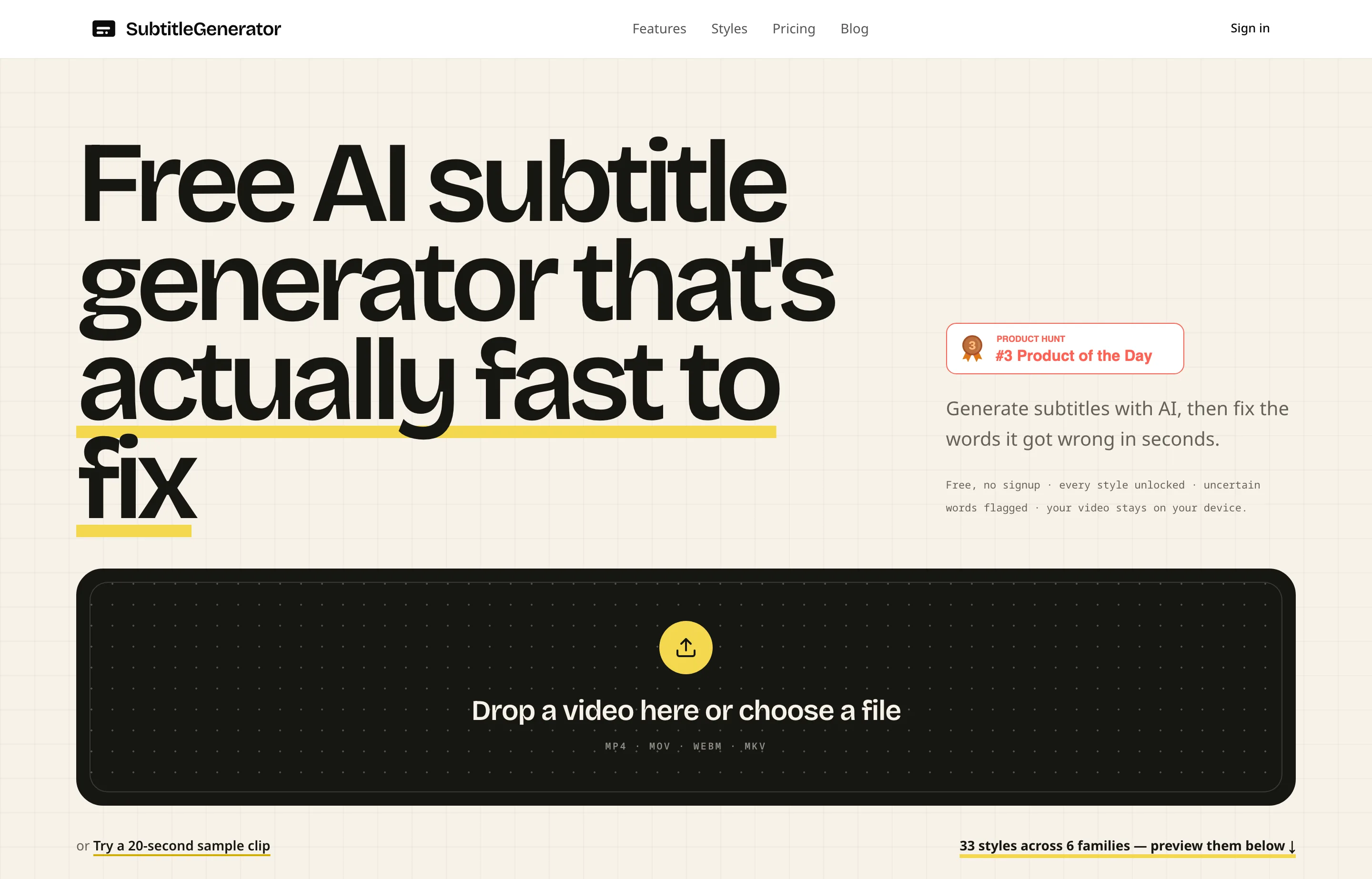
- Website
- subtitlegenerator.app
- Category
- Video Marketing
- Pricing
- Free plan + paid tiers
- Starts at
- Free plan; Pro from $9/month
- Best for
- Podcasters, short-form creators, and course makers who need accurate captions without uploading their video or installing anything.
- Profile updated
- September 1, 2026
Independent profile — no affiliate links or sponsored placement.
Key features
- AI transcription with word-level timing, in the spoken language
- Every low-confidence word is flagged for review before export — the tool's core differentiator
- Re-transcribe just the wrong cue instead of the whole video
- 33 caption styles across six families (clean, creator, karaoke, cinematic, pop, branded)
- Full-track subtitle translation on paid tiers
- Export burned-in MP4 or eight subtitle formats (SRT, VTT, ASS, SSA, SBV, SMI, TXT, JSON) with timing ready for Premiere or Resolve
- No signup for the first video; works on modern mobile browsers
Pricing
Read from SubtitleGenerator's pricing page on 1 September 2026 (verify current):
- Free — $0: 60 minutes of subtitle time per month (stated up front), videos up to 10 minutes, all 33 styles, 720p export with a small watermark, 512 MB per video.
- Pro — $9/month, or $90/year (2 months free): no watermark, HD export, videos up to 30 minutes, 700 minutes of subtitle time a month, high-accuracy transcription mode, subtitle translation, all eight export formats, custom fonts and saved brand styles.
- Max — $15/month, or $150/year: everything in Pro with videos up to 1 hour and 1,400 minutes a month.
- Pay-as-you-go — from $3: every $1 adds 20 minutes that never expire, for occasional bursts without a subscription.
Pros and cons
Pros
- The free tier is real and its limits are stated up front rather than discovered — 60 minutes a month covers a weekly short-form creator
- The video stays on your device; only audio goes out for transcription and is deleted after
- Uncertain-word flagging turns proofreading from a rewatch into a checklist
Cons
- Free exports carry a watermark at 720p, which matters for brand channels
- It is deliberately single-purpose — no cutting, no editing, no generation; pair it with an editor if you need more
- Young product with no third-party review history we could verify this run
Who should use SubtitleGenerator?
This fits a podcaster clipping episodes, a course maker captioning lessons, or a short-form creator who posts several times a week and needs captions that don't embarrass the brand. The 33 styles include named nods to the formats that perform (MrBeast-style hype, karaoke, clean lower-third), so the styling step is fast rather than a design project.
It is the wrong tool if you need to edit the video itself — ChatCut or a traditional editor comes first — and overkill if you generate videos from scratch with Topview, which can caption what it produces. Its Product Hunt launch (#3 of 22 August 2026, 216 points, 10 comments) is launch-day community interest, not reviews; there was no G2/Capterra listing to cite as of September 2026.
FAQs
Is SubtitleGenerator free?+
Yes. The free plan includes 60 minutes of subtitle time a month, all 33 styles, and 720p export with a small watermark — the limits are stated on the pricing page rather than hidden.
How much does SubtitleGenerator cost?+
Pro is $9/month or $90/year, and Max is $15/month or $150/year, as of 1 September 2026. Occasional users can buy pay-as-you-go minutes from $3 that never expire instead of subscribing.
Does SubtitleGenerator upload my video?+
No. The video file stays on your device; only the extracted audio is sent for transcription and deleted afterwards, and the captioned video renders in your browser.
What can I export?+
A burned-in MP4, or subtitle files in SRT, VTT, ASS, SSA, SBV, SMI, TXT, and JSON formats with timing ready for Premiere Pro or DaVinci Resolve. Translation to other languages requires Pro.
Similar tools in the directory
Video Marketing
ChatCut
Creators and small marketing teams sitting on talking-head and product footage who want an assembled first cut without learning a timeline.
Video Marketing
Topview
E-commerce and DTC small brands that need product and ad videos every week without hiring an editor or learning After Effects.
Social Media Management
VIDEO AI ME
Ecommerce and agency teams already buying paid social who want AI video creation and multi-platform scheduling on one bill.
Free tools to try
YouTube Title & Description Generator
8 honest title options under 70 characters plus a ready-to-paste description.
Instagram Caption Generator
3 caption options with hooks, CTAs, and hashtags — ready to post.
YouTube Script Generator
Hook, sections, and outro for your next video — Shorts get a full script.
Keep reading
Guide
14 Best Social Media Scheduling Tools for Small Business (2026)
14 social media schedulers ranked for small businesses — real 2026 pricing, free-plan caps, and X support for PosterMyWall, Buffer, Statusbrew, Metricool and more.
Guide
The Small Business AI Stack: Tools for Every Job in 2026
A practical AI stack for small businesses — the tools that actually save time on marketing, content, SEO, and admin, organized by the job they do. Free where it counts.