No-Code App Builders
x1
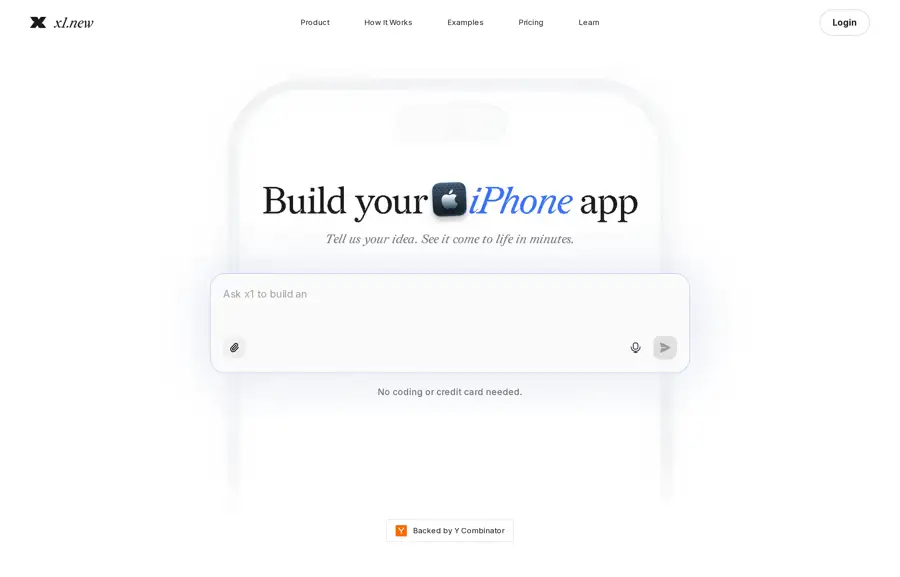
x1 is an AI app studio that takes a plain-English iPhone idea and walks you through planning, design, build, QA, and App Store prep — without asking you to become a React Native engineer first. You answer focused product questions, review each screen, then build in milestones you can open on your phone with Expo Go. When you are ready, it helps with screenshots, listing copy, TestFlight, and submission through your Apple Developer account.
It launched on Product Hunt on August 26, 2026 and hit #1 Product of the Day with 512 points (launch-day community interest) and strong comment volume. That launch-day spike is a useful signal of community interest in “Lovable for iPhone apps,” not a substitute for shipping quality. The makers’ bet is process, not a bigger one-shot prompt: keep product decisions, designs, and what is already built in one living plan so changes do not silently break three other screens.
If you have tried vibe-coding a mobile MVP in a general AI IDE and ended up with conflicting docs and half-finished features, x1 is aimed at that exact failure mode. It is iPhone-first on purpose — Android is explicitly later — so you should only start here if App Store distribution (and typically higher iOS spend) is your primary path.
- Website
- x1.new
- Category
- No-Code App Builders
- Pricing
- Free plan + paid tiers
- Starts at
- Free preview; paid from $20/month
- Best for
- Non-technical founders who want a guided path from iPhone app idea to App Store submission
- Profile updated
- September 15, 2026
Independent profile — no affiliate links or sponsored placement.
Key features
- Guided Idea → Publish studios — Idea, Brand, Design, Build, and Publish (plus revenue/monetization thinking) keep planning and shipping in one workflow instead of a single chat dump.
- Milestone builds with on-device preview — Build in stages, review screens before you commit, then preview on your iPhone with Expo Go.
- Product memory across changes — Decisions stick with the project so dependent screens and flows can update when you change scope, rather than treating every edit like a brand-new prompt.
- App Store launch kit — Screenshots, listing copy, TestFlight private beta, and submission prep through your Apple Developer account.
- Integrations studio — Managed pieces like Supabase auth/database and common third-party wiring; the product pitches agent-assisted setup for popular services.
- React Native source export on paid plans — Download a ZIP of the full source so you own, extend, and monetize what you ship.
- Free interactive preview — Validate the idea, generate a name/icon, product plan, and shareable screens without a credit card (vendor also describes non-expiring free credits on the current freemium offer).
Pricing
Read from x1's pricing page in September 2026 (verify current).
x1 is freemium. You can start with a free interactive app preview (no card). Paid plans are billed monthly or yearly and use credits for post-preview AI work: building milestones, QA, edits, and launch prep. When credits run out, you can still view the project, but generation/builds pause until you upgrade or add credits.
Current paid tiers listed for the product are Starter, Builder, and Pro at $20, $50, and $100 per month, with yearly options. An earlier FAQ snapshot on the homepage also mentioned higher monthly price points ($129 / $209 / $299) — treat the live pricing page as source of truth before you buy. Apple Developer Program fees are separate and required to submit to the App Store. Source export is a paid-plan capability.
Pros and cons
Pros
- End-to-end path from idea to App Store assets, not just a code playground.
- Milestone + screen review loop is clearer than one-prompt mobile generators for non-engineers.
- Paid plans include full React Native export, which reduces lock-in vs closed builders.
Cons
- iPhone only today — no Android publish path yet; cross-platform teams will wait or use something else.
- Credits gate real build work — free preview is useful for validation, but shipping beyond the preview still means a paid plan and careful credit budgeting.
- You still need Apple — Developer account, signing, and review remain yours; x1 prepares the package, it does not replace Apple’s process.
Who should use x1?
Use x1 if you are a founder, creator, or small product team with an iPhone MVP in mind and you want structure more than raw codegen speed. It fits people who will answer product questions carefully, review screens, and iterate milestones until TestFlight feels trustworthy.
Skip it (for now) if Android is day-one, you need a complex 3D game or heavy custom hardware, you already have a mature React Native codebase you only want an agent inside, or you refuse any App Store / Apple Developer overhead. General web builders like Framer or Webflow are better peers for sites; x1 is specifically for native iPhone delivery.
FAQs
Do I need to know how to code?+
No. x1 is built so you steer planning, design, and milestones in natural language. Coding experience helps when you export and extend the React Native source, but it is not required to use the guided flow.
Can I publish to the App Store from x1?+
Yes for preparation and submission workflow: Expo Go preview, TestFlight beta, listing/screenshots, and submit through your Apple Developer account. Apple still reviews the binary; x1 does not bypass review.
What do I get for free?+
An interactive preview — idea validation, name/icon, product plan, and generated screens you can open and share — without a credit card. Deeper build/QA/launch work consumes paid credits.
Do I own the app?+
On paid plans you can export the full React Native source as a ZIP and keep building outside x1. Confirm current export terms on the pricing page before you commit a large project.
Similar tools in the directory
No-Code App Builders
Floot
Founders who want to build and host an app through an AI assistant without configuring a separate backend.
Website Builders
Framer
Design-led founders, creators, and small agencies that want to publish polished marketing sites without a developer handoff.
Website Builders
Webflow
Freelancers and digital agencies building structured, custom client sites without maintaining a conventional codebase.
Free tools to try
Keep reading
Guide
Best AI Website Builders for Small Business (2026)
The best AI website builders for small businesses, compared by launch speed, editing control, SEO basics, booking and commerce fit, and real entry pricing.
Guide
The Small Business AI Stack: Tools for Every Job in 2026
A practical AI stack for small businesses — the tools that actually save time on marketing, content, SEO, and admin, organized by the job they do. Free where it counts.
Guide
Free Small Business Tools (No Signup): The Complete List
A directory of free small business tools — pricing calculators, invoicing, marketing, SEO, and writing. No signup, no paywall, and they explain the math.