No-Code App Builders
Floot
Floot is an app-building and hosting platform that lets you describe changes in Claude, ChatGPT, or another supported AI client while Floot supplies the project workspace, database, authentication, storage, and live URL. Its Floot MCP launch placed #2 on Product Hunt on September 24, 2026, with 389 points. That is launch-day interest, not a review score. Floot itself launched earlier, in 2025, and the new release changes how you control it from your existing chat.
The distinction from a website builder is that Floot produces an application with backend behavior and user accounts. You can publish to the web and, on the appropriate plan, package native iOS and Android apps. You still need to understand what your app should do and test the result. Building through your own AI subscription also does not make hosting, image generation, or AI features inside the finished app free. This profile comes from current Floot documentation and Product Hunt, not a hands-on deployment.
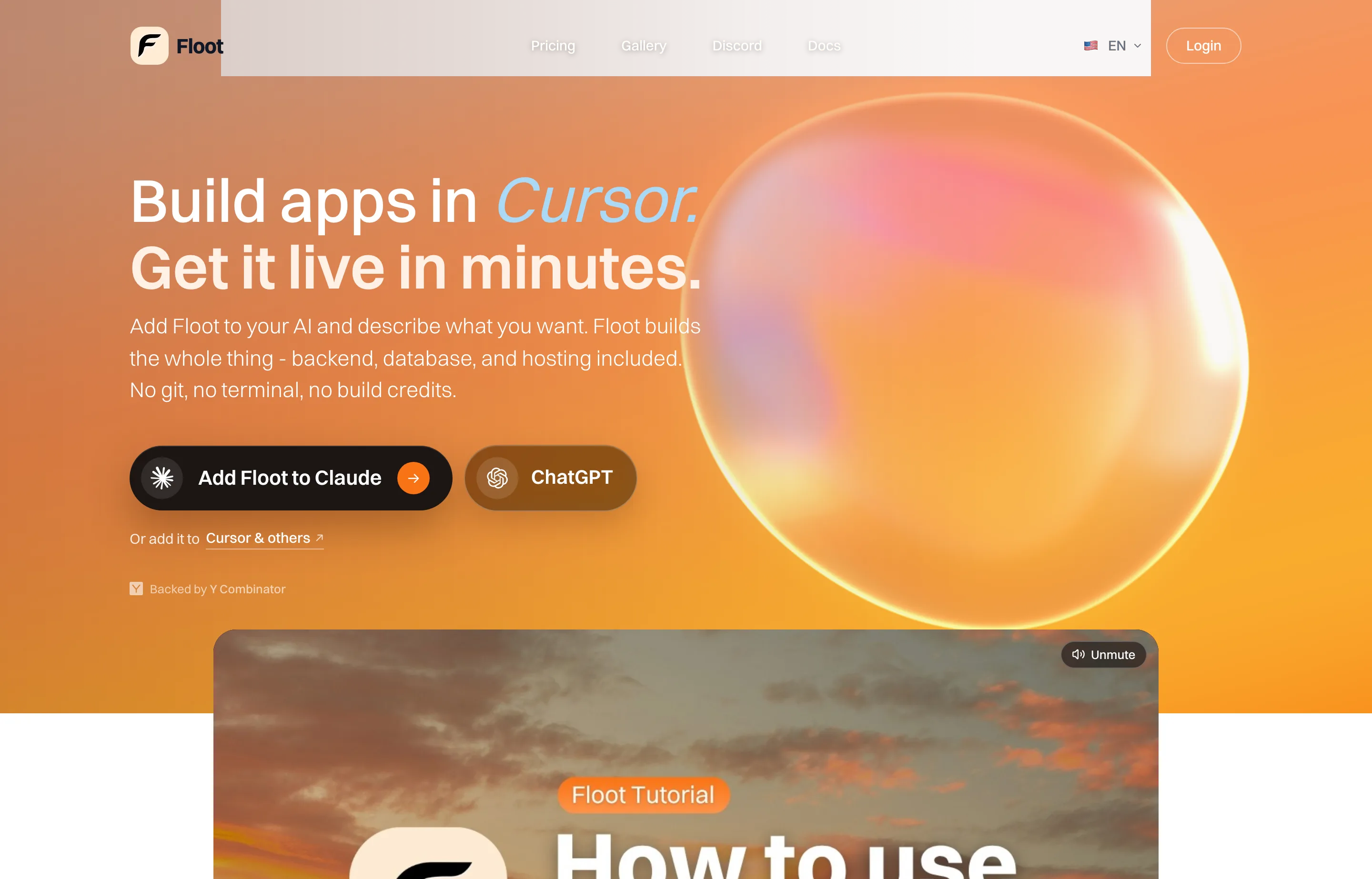
- Website
- floot.com
- Category
- No-Code App Builders
- Pricing
- Free plan + paid tiers
- Starts at
- Free plan; Pro $25/month; native mobile apps on $100/month Power
- Best for
- Founders who want to build and host an app through an AI assistant without configuring a separate backend.
- Profile updated
- September 27, 2026
Independent profile — no affiliate links or sponsored placement.
Key features
- Chat-driven building: Connect Floot to Claude, ChatGPT, or another MCP client and direct changes from the conversation.
- Full-stack workspace: A project can include pages, backend endpoints, Postgres data, file storage, and sign-in.
- Live preview and deployment: Publish an app to a Floot subdomain, then connect a custom domain on a paid plan.
- Web and mobile routes: Build a web app first; Power enables native mobile app publishing according to the current plan table.
- Built-in troubleshooting: The connected assistant can inspect project status and logs and work on fixes.
- Code access: Paid tiers list code export, which matters if you later move development elsewhere.
- Separate usage meters: Floot counts build actions and Floot-run AI credits; hosting has its own allowance.
Pricing
Read from Floot's billing and plan documentation and hosting limits on September 27, 2026 (verify current). Free provides five projects, up to 100 build actions per UTC day and 400 in a rolling week, 3,000 one-time AI credits, and a one-time $3 hosting credit. Pro costs $25/month and lists 1,000 build actions per day, $10/month hosting allowance, custom domains, and code export. Power costs $100/month and lists 5,000 build actions per day, $25/month hosting allowance, and native mobile apps.
Floot says publishing is possible on Free, but a live app needs hosting credit; after the one-time credit is used, continued hosting may require payment. Hosting beyond a paid plan's included allowance is billed by usage. Your Claude or ChatGPT subscription is separate, and app-store developer accounts may add cost for mobile distribution. Check the hosting dashboard for a realistic forecast before committing customers to an app.
Pros and cons
Pros
- Backend, sign-in, database, and hosting are available without assembling several vendors.
- Can work from an AI chat a founder already uses.
- Paid code export offers a route out of the hosted editor.
Cons
- Free hosting credit is one-time, so “free to build” does not mean a live app stays free indefinitely.
- Native mobile publishing requires the $100/month Power tier, plus app-store overhead.
- Some Product Hunt reviewers report stability, context, pricing, or deployment problems; test a small real workflow before depending on it.
Who should use Floot?
Floot fits a non-technical founder or small digital agency building a working customer portal, internal tool, or app MVP with accounts and data. It is more application-oriented than Framer or Carrd. Compare x1 if you specifically want a guided iPhone-first launch; Floot spans web and mobile but asks you to manage hosting usage and a broader app workflow.
Product Hunt shows 19 reviews for Floot, a more useful signal than this week's points alone. The feedback is mixed enough that your own test should include deployment, data editing, and an export path, not just a good-looking first screen.
FAQs
Is Floot free?+
There is a Free plan with build-action limits and a one-time $3 hosting credit. It is suitable for trying the workflow; ongoing live hosting may incur cost after that credit.
How much is Floot Pro?+
The current docs list Pro at $25 per month and Power at $100 per month. Native mobile apps are listed on Power.
Do I need a Claude or ChatGPT subscription?+
The connector uses the AI assistant you choose for its reasoning. That assistant's subscription or usage bill is separate from Floot's build, hosting, and optional AI-credit meters.
Can I export my app?+
Floot lists code export on paid plans. Check current export terms and test the output early if ownership and migration are important to your business.
Similar tools in the directory
No-Code App Builders
x1
Non-technical founders who want a guided path from iPhone app idea to App Store submission
Website Builders
Framer
Design-led founders, creators, and small agencies that want to publish polished marketing sites without a developer handoff.
Website Builders
Webflow
Freelancers and digital agencies building structured, custom client sites without maintaining a conventional codebase.
Free tools to try
Business Ideas Generator
8 realistic business ideas matched to your skills, budget, and time — with a first step for each.
Meta Description Generator
5 meta description options, 120–155 characters, keyword included.
ROI Calculator
See your return on investment as a percentage — plus annualized ROI over time.
Keep reading
Guide
Best AI Website Builders for Small Business (2026)
The best AI website builders for small businesses, compared by launch speed, editing control, SEO basics, booking and commerce fit, and real entry pricing.
Guide
The Small Business AI Stack: Tools for Every Job in 2026
A practical AI stack for small businesses — the tools that actually save time on marketing, content, SEO, and admin, organized by the job they do. Free where it counts.
Guide
Free Small Business Tools (No Signup): The Complete List
A directory of free small business tools — pricing calculators, invoicing, marketing, SEO, and writing. No signup, no paywall, and they explain the math.