Video Marketing
ScreenCursor
ScreenCursor is a Chrome extension screen recorder that adds auto zoom while you record: every click, drag, and keystroke becomes a camera move, so you export a finished product-demo video without a second pass in CapCut or Premiere. On Product Hunt it reached #4 launch-day community interest on 2026-09-13 with 196 points and 18 comments—launch-day interest, not a review rating.
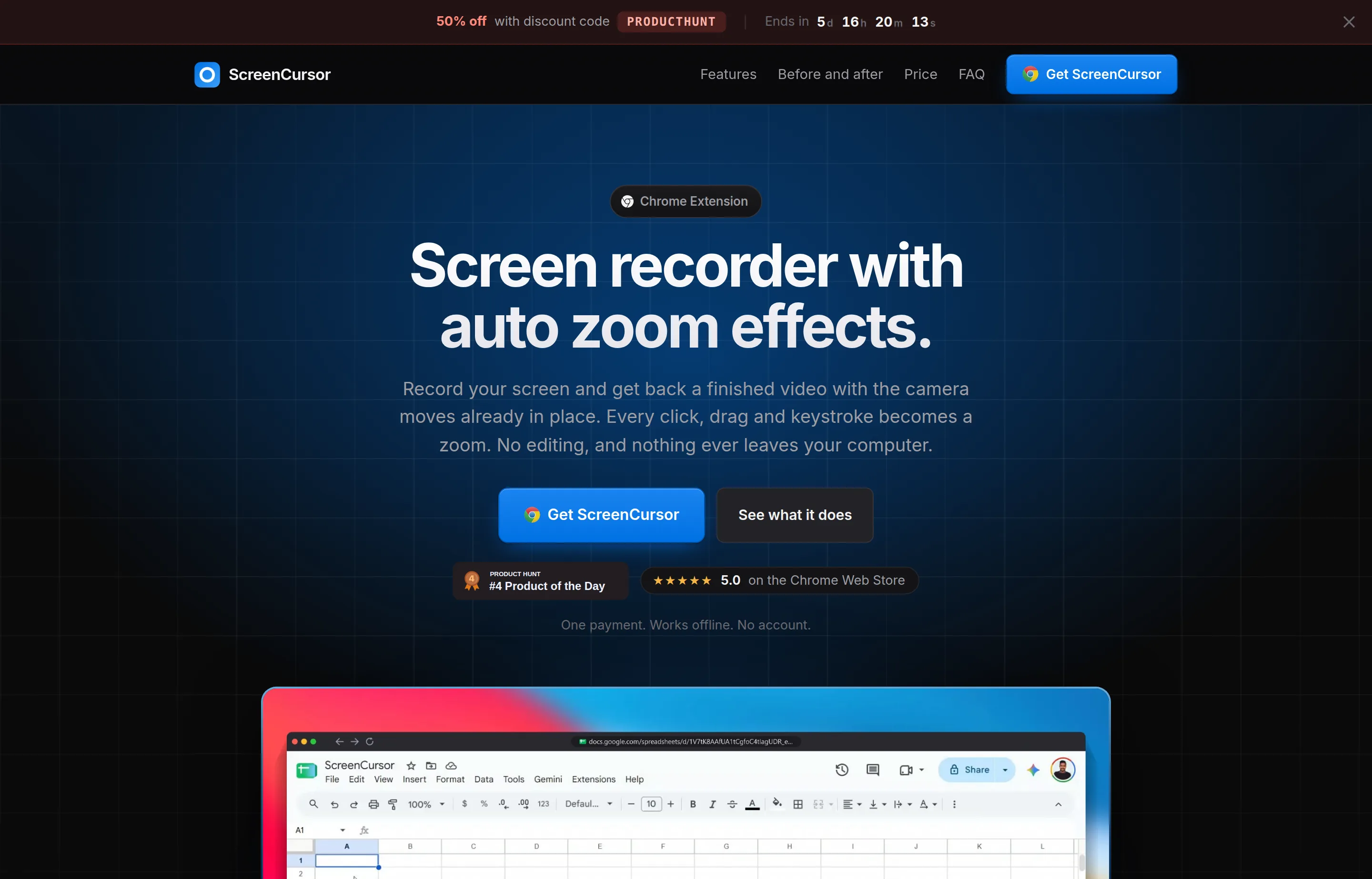
The privacy pitch is explicit: recording, editing, and export happen in your browser; video never leaves your computer, and there is no account required to use the product. Pricing is a one-time $49 license (early pricing vs a $79 list), including updates, with activation on up to three machines. It positions against Screen Studio (~$108/year, macOS-only) as a cheaper, cross-OS Chrome alternative with a narrower feature set (no webcam overlay / iPhone USB capture called out as Screen Studio advantages).
- Website
- screencursor.com
- Category
- Video Marketing
- Pricing
- Paid
- Starts at
- $49 one-time (early; $79 list)
- Best for
- SaaS makers recording in-browser demos who want auto zoom without a subscription.
- Profile updated
- September 15, 2026
Independent profile — no affiliate links or sponsored placement.
Key features
- Auto zoom on interaction: Clicks, drags, and keystrokes get timed zooms that arrive before the action so viewers are already looking at the right UI.
- Editable, not baked-in: Retime, deepen/shallow, snappy vs gentle motion, move, delete, or add zooms; the camera preview matches the export.
- Presentation polish: Wallpaper or gradient backdrop, browser frame with real page title, rounded corners, and aspect-ratio presets for where you will upload.
- Trim & speed tools: Split clips, cut dead air, speed up slow sections; zooms stay synced after cuts.
- Local export: MP4 at 720p or 1080p straight to Downloads—no watermark, no per-video limit.
- Offline-capable Chrome extension: Runs on macOS, Windows, and Linux wherever Chrome runs (needs hardware video encoding, common on machines from the last decade).
Caveat (from founder comments on PH): Zoom tracking is strongest inside the browser. Recording the whole desktop/other apps works, but auto-zoom outside the browser is imperfect until a custom focus-point update ships.
For marketing teams, that means ScreenCursor shines on SaaS UI walkthroughs, pricing-page tours, and onboarding checklists filmed inside Chrome. You hit record, click through the flow, trim the pauses, optionally sit the recording on a wallpaper with a browser chrome frame, and export 1080p MP4 ready for YouTube, LinkedIn, or a help center. The Chrome Web Store listing is advertised at 5.0 on the vendor homepage; treat that as storefront data, not an independent analyst rating.
Pricing
Read from screencursor.com in September 2026 (verify current):
| Plan | Price | Notes |
|---|---|---|
| ScreenCursor license | $49 one-time (early; $79 list shown struck) | Permanent license, updates included, no subscription, no seats model, no watermark, no recording cap |
| Activation | Up to 3 machines | Free a slot from the extension license page or Polar account when replacing a computer |
Merchant of record is Polar; refunds follow Polar’s policy (instant digital goods—check their refunds page). Product Hunt launch offered 50% off with code PRODUCTHUNT through 2026-09-20 (time-limited; verify on the vendor site if still active).
Pros and cons
Pros
- One payment beats annual Screen Studio-style subscriptions for many solo makers
- Privacy: nothing uploaded; no forced account
- Auto zoom removes the most tedious part of demo editing
- Works wherever Chrome does (not Mac-locked)
Cons
- No free trial called out on the homepage (PH Q&A confirmed none at launch)
- Auto-zoom still weaker outside browser windows
- No webcam overlay / mobile USB capture parity with heavier native apps
- Chrome “sharing your screen” bar still appears (tool waits 3 seconds so you can collapse it)
Who should use ScreenCursor?
Use ScreenCursor if you ship SaaS demos, changelog videos, or tutorial clips and want click-follow zooms without a timeline. Especially strong if you record mostly in-browser product flows and care that footage stays local. Skip it if you need webcam + screen composites, iPhone mirroring, or a free forever plan—or if most of your demos are native desktop apps until the custom focus-point update lands.
FAQs
Does my recording upload to the cloud?+
No. Capture, edit, and export stay in the browser on your machine. There is no account wall for recording.
Is it a subscription?+
No. $49 once (early pricing), including updates. Activate on up to three computers.
How is it different from Screen Studio?+
Screen Studio is macOS-native and richer (webcam overlay, motion blur, iPhone USB). ScreenCursor is $49 once, Chrome-based on Mac/Windows/Linux, focused on auto zoom + light editing.
Can I fix zooms after recording?+
Yes. Nothing is final until you export—retime, resize depth, change motion, delete, or add zooms, then export MP4.
Similar tools in the directory
Video Marketing
Clueso
Software founders and small teams making repeatable product demos, onboarding videos, and tutorials.
Video Marketing
Topview
E-commerce and DTC small brands that need product and ad videos every week without hiring an editor or learning After Effects.
Video Marketing
ChatCut
Creators and small marketing teams sitting on talking-head and product footage who want an assembled first cut without learning a timeline.
Free tools to try
Keep reading
Guide
What Outbid.lol Teaches Small Businesses About Viral Growth
Outbid.lol's reported $178k-in-77-hours launch shows small businesses how to create viral opportunities without mistaking one spike for a strategy.
Guide
The Small Business AI Stack: Tools for Every Job in 2026
A practical AI stack for small businesses — the tools that actually save time on marketing, content, SEO, and admin, organized by the job they do. Free where it counts.
Guide
Free Small Business Tools (No Signup): The Complete List
A directory of free small business tools — pricing calculators, invoicing, marketing, SEO, and writing. No signup, no paywall, and they explain the math.