Video Marketing
Jupitrr
Jupitrr is an AI video workflow built for coaches, consultants, and service founders who need talking-head posts without living in CapCut. You research what is working in your niche, script with AI, record (including via the Jupitrr Cut teleprompter), upload raw footage, and get back a finished short with B-roll, animated subtitles, hooks, music, and your logo already placed. On Product Hunt it drew #9 launch-day community interest on 2026-09-08 with 116 points and 11 comments—that score reflects launch-day interest, not a review rating.
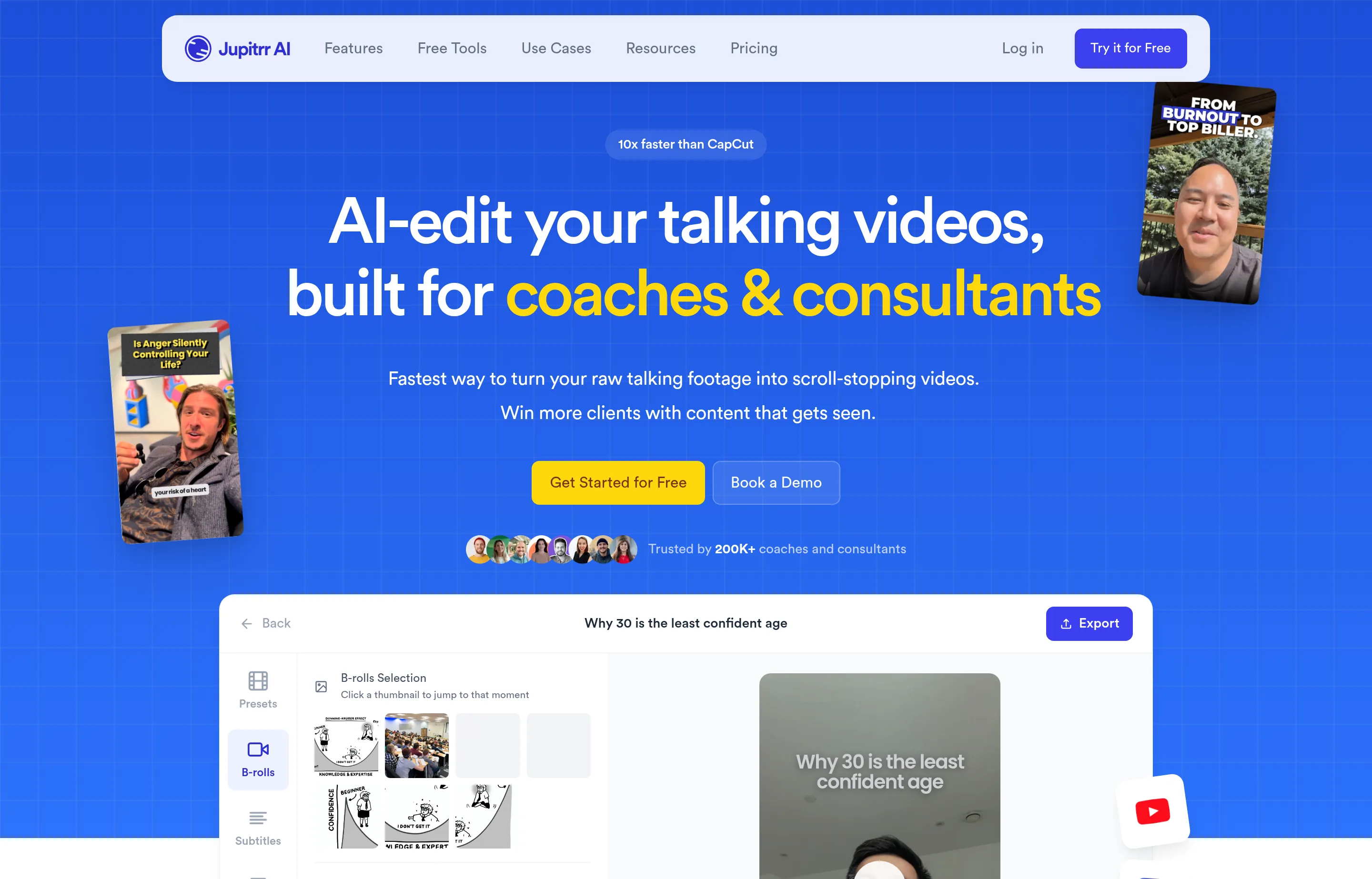
If you already film yourself explaining ideas, Jupitrr collapses the post-production stack: stock B-roll from Getty Images / iStock on paid plans (Pexels on Free), GIFs, web images, transitions, and one-click publish to YouTube, Instagram, LinkedIn, and TikTok with platform captions. The company claims 200K+ coaches and consultants use the product. It is not a multi-cam timeline editor; it is optimized for short, single-speaker, scroll-stopping clips.
- Website
- jupitrr.com
- Category
- Video Marketing
- Pricing
- Free plan + paid tiers
- Starts at
- Free plan; paid from $18/month annual
- Best for
- Coaches and consultants who post talking-head Shorts, Reels, and TikToks.
- Profile updated
- September 15, 2026
Independent profile — no affiliate links or sponsored placement.
Key features
- Upload-to-edited short: Talking-head footage comes back with AI-crafted hooks, animated subtitles, B-roll, GIFs, emojis, transitions, brand logo, outro, and background music.
- Stock libraries with commercial clearance on paid plans: Getty Images and iStock on paid tiers; Pexels on Free; plus Google Images (Creative Commons) and GIFs. You can swap any clip and change layout (full screen, split, card, contained, blended).
- Research → script → teleprompter: Viral video search, AI scriptwriting in your tone, and the Jupitrr Cut open-source teleprompter app with auto jump-cut / silence removal for recording.
- Publish and measure: Schedule and post to YouTube, Instagram, LinkedIn, and TikTok; track performance from the same workspace (Pro and above).
- Agent-style edits in plain language: Change wording, styling, language (54+ subtitle languages), music, or individual B-roll clips without rebuilding a timeline.
- Plan limits that match posting cadence: Free = 3 briefs/uploads per month; Starter = 10 exports; Pro = 30; Team = 50—with upload length from 2 minutes (Free) up to 30 minutes (Team).
Pricing
Read from jupitrr.com/pricing in September 2026 (verify current):
| Plan | Price (annual billing) | Monthly billing | What you get |
|---|---|---|---|
| Free | $0 | $0 | 3 briefs + 3 uploads/mo, Pexels B-roll, max 2 min, watermarked exports, 1 seat |
| Starter | $18/mo | $22/mo | 10 exports/mo, unlimited Getty/iStock B-roll, max 5 min, no watermark, 1 seat |
| Pro | $39/mo | $49/mo | AI scriptwriter, viral search, calendar, social publishing, analytics, 30 briefs/exports, max 20 min, 2 seats |
| Team | $89/mo | $149/mo | Collaboration, brand kit, multi-account publishing, 50 briefs/exports, max 30 min, 5 seats |
There is also a $299 “Video Accelerator” 1:1 offer. Cancel anytime from Manage Plan; 3-day money-back on paid plans. Unused briefs/uploads/exports do not roll over.
Pros and cons
Pros
- End-to-end path from idea to published short for people who hate timelines
- Premium stock on paid plans without a separate Getty subscription
- Free tier lets you try 3 videos/month before paying
- Clear seat and export caps so you can match cost to posting volume
Cons
- Built for talking-head / short-form—not multi-cam, long-form narrative, or heavy motion graphics
- Free exports carry a watermark; serious use starts at Starter
- Monthly allowances reset (no rollover), so heavy months force an upgrade
- Some users have reported reliability/export bugs on Product Hunt over earlier launches
Who should use Jupitrr?
Use Jupitrr if you are a coach, consultant, or solo service founder who already (or wants to) post talking-head tips on Reels, Shorts, TikTok, and LinkedIn, and you would rather review an AI edit than learn CapCut. Skip it if you need a full NLE, agency-grade motion design, or more than Team’s 50 exports without a custom plan.
FAQs
Is Jupitrr free?+
Yes. Free includes 3 video briefs and 3 uploads per month with Pexels B-roll, 2-minute max uploads, and a watermark. Paid plans start at $18/mo billed annually (Starter).
Do I need editing experience?+
No. There is no timeline for the core flow. Upload talking-to-camera footage, review what the AI placed, and swap anything you dislike—or describe the change to Jupitrr Agent in plain language.
Where does the B-roll come from?+
Paid plans use Getty Images and iStock (commercial use cleared). Free uses Pexels. You can also pull Creative Commons web images, GIFs, or your own uploads.
Can I cancel?+
Yes, anytime from account settings. Access continues through the billing period you paid for. Full refund if you cancel within 3 days of payment.
Similar tools in the directory
Video Marketing
Hookest
Creators and small marketers studying short-form video openings before scripting their own posts.
Video Marketing
Topview
E-commerce and DTC small brands that need product and ad videos every week without hiring an editor or learning After Effects.
Video Marketing
ChatCut
Creators and small marketing teams sitting on talking-head and product footage who want an assembled first cut without learning a timeline.
Free tools to try
YouTube Script Generator
Hook, sections, and outro for your next video — Shorts get a full script.
YouTube Title & Description Generator
8 honest title options under 70 characters plus a ready-to-paste description.
Instagram Caption Generator
3 caption options with hooks, CTAs, and hashtags — ready to post.
Keep reading
Guide
What Outbid.lol Teaches Small Businesses About Viral Growth
Outbid.lol's reported $178k-in-77-hours launch shows small businesses how to create viral opportunities without mistaking one spike for a strategy.
Guide
The Small Business AI Stack: Tools for Every Job in 2026
A practical AI stack for small businesses — the tools that actually save time on marketing, content, SEO, and admin, organized by the job they do. Free where it counts.
Guide
Free Small Business Tools (No Signup): The Complete List
A directory of free small business tools — pricing calculators, invoicing, marketing, SEO, and writing. No signup, no paywall, and they explain the math.