AI Notetakers
Granola
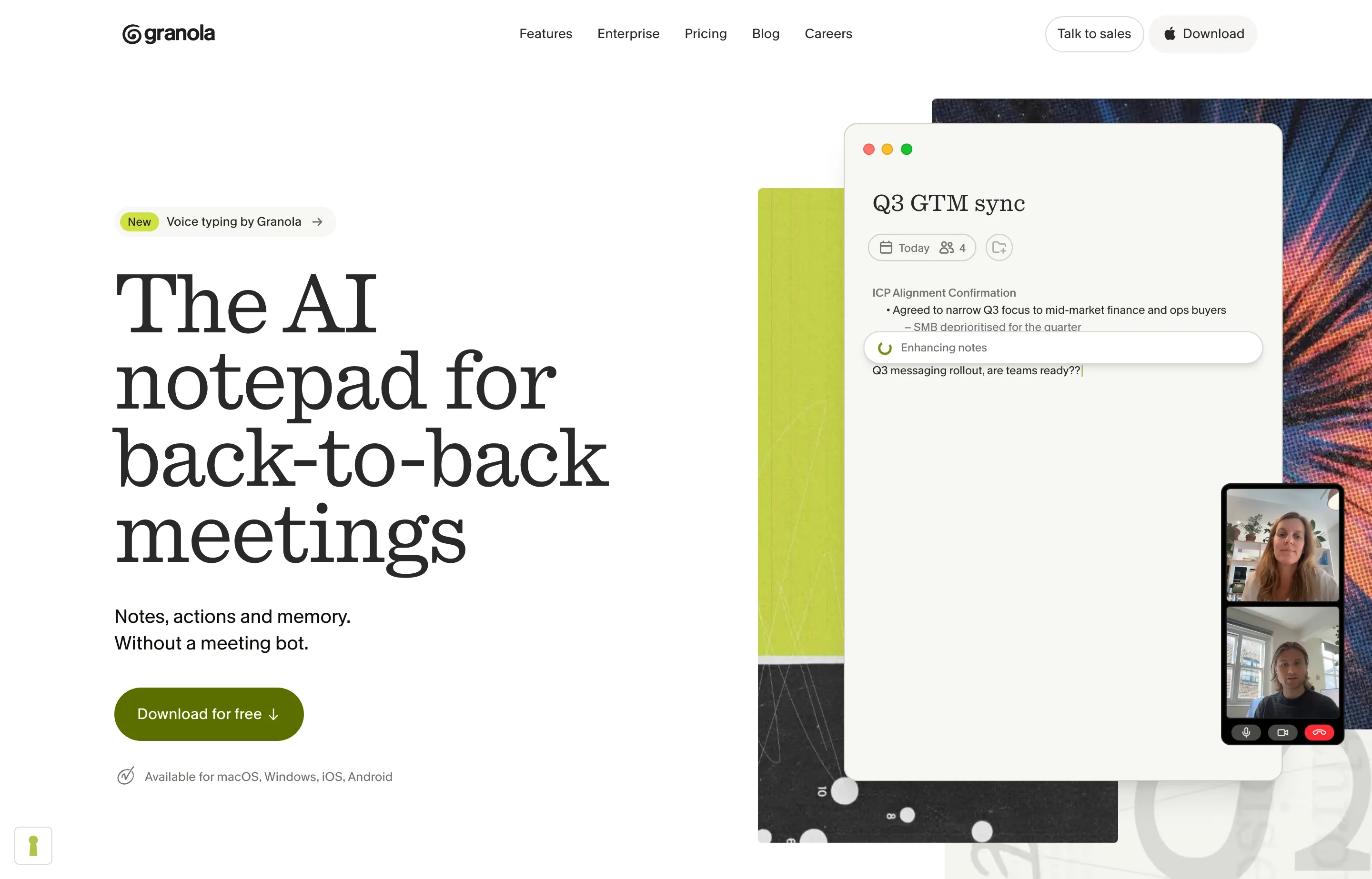
Granola is an AI notepad for meetings. It listens to your computer's audio, transcribes the call in the background, and turns your rough typing into structured notes with action items — without a bot joining the meeting or asking the other side to admit a recorder. It runs on macOS, Windows, iOS, and Android, so it also covers in-person and phone conversations.
The pricing quirk decides most of the fit: the free plan gives you unlimited meeting notes but only keeps 30 days of history. Everything older is hidden until you upgrade. For a consultant who needs last quarter's client call, that is a real limit; for someone who takes notes and moves them into Notion or a CRM the same day, free is enough.
This profile is built from Granola's site and pricing page, read in November 2026, not from hands-on testing. Granola is an established product, not a launch-week entry.
- Website
- granola.ai
- Category
- AI Notetakers
- Pricing
- Free plan + paid tiers
- Starts at
- Free (30-day history); Business $14/user/month
- Best for
- Consultants, founders, and small teams in back-to-back calls who want notes without a bot joining the meeting.
- Profile updated
- November 12, 2026
Independent profile — no affiliate links or sponsored placement.
Key features
- Bot-free capture from computer audio, working with Zoom, Google Meet, Teams, and any other call app
- Calendar sync that preps a "Brief" before external meetings: attendees, last conversation, open items
- Note enhancement: your shorthand is expanded into structured notes, decisions, and next steps
- Chat across meetings — ask what you promised this week, or what a client said about pricing last month
- Mobile apps for in-person meetings, walking conversations, and phone calls
- Integrations with Notion, HubSpot, Attio, Affinity, and Zapier, plus an API and MCP connector on paid plans
- Custom note templates, voice typing, and multi-language support
- Option to opt out of model training at any tier
Pricing
Read from Granola's pricing page on 12 November 2026 (verify current):
- Basic — $0 per user per month. AI meeting notes, AI chat within and across recent meetings, shared folders, templates, voice typing, multi-language support — with history limited to the last 30 days.
- Business — $14 per user per month. Unlimited meeting notes and history, advanced AI models and features, integrations (Attio, Notion, HubSpot, Affinity, Zapier), centralized billing and user management, MCP in all apps, API access.
- Enterprise — $35 per user per month. Everything in Business plus SSO, admin controls, priority support, usage analytics, org-wide auto-deletion, and org-wide training opt-out.
Pricing is per seat, so a three-person team pays $42/month on Business. There is no annual discount shown on the page as read.
Pros and cons
Pros
- No meeting bot: clients and candidates do not see a recorder join, which removes an objection
- Free tier covers unlimited meetings — the limit is history, not volume
- Strong consumer track record: 4.96 out of 5 from 14,695 App Store ratings, as shown on Granola's site in November 2026
- Desktop plus mobile covers in-person work that bot-based notetakers miss
Cons
- Free plan hides anything older than 30 days — the most common reason to upgrade
- Per-seat pricing gets expensive for a five-person team
- Notes start private and are shared manually; there is no shared team brain on the free tier
- Desktop support is macOS and Windows only — no Linux or browser-only option
Who should use Granola?
Granola fits an owner-operator or consultant who lives in calls, wants to stay present, and does not want to ask a client for permission to record every time. It is also a good first AI purchase for a small team, because the free tier is enough to test the workflow for a month.
Look elsewhere if you need meeting recordings with video, compliance-grade retention with audit trails, or a shared workspace where every teammate can search all conversations by default. Klang, Otter, and Fireflies are built more around that team-memory case.
Evidence, for context: Granola's own site advertises a 4.96/5 App Store rating from 14,695 ratings (read November 2026). That is a real third-party rating, though App Store reviews skew toward individual users rather than team buyers.
FAQs
Is Granola free?+
Yes. The Basic plan costs nothing and includes unlimited meeting notes, AI chat, templates, and mobile apps. The catch is history: notes older than 30 days are not available unless you upgrade to Business at $14/user/month.
Does Granola join my meetings as a bot?+
No. Granola records your computer's audio locally on the device, so no bot appears in the participant list. It works with Zoom, Google Meet, Teams, and anything else that plays through your speakers, and the mobile app covers in-person meetings.
Granola or Otter.ai?+
Granola for bot-free capture, better note formatting, and a genuinely useful free tier. Otter for recorded transcripts with video, team-wide search, and enterprise admin. If your clients would find a bot intrusive, start with Granola.
Does Granola work on Windows and iPhone?+
Yes — desktop apps for macOS and Windows, mobile apps for iOS and Android. There is no web app or Linux client as of November 2026, so a Chromebook-only user is out of luck.
Similar tools in the directory
AI Notetakers
Oats
Teams that want meeting notes without a bot in the call or a SaaS seat tax
AI Notetakers
Ulpaso
Mac-using consultants and founders whose calls include sensitive details and who want notes as plain files they own forever.
AI Notetakers
Klang
Small teams and consultants who want searchable conversation memory with EU hosting and per-seat pricing they can predict.
Free tools to try
Keep reading
Guide
The Small Business AI Stack: Tools for Every Job in 2026
A practical AI stack for small businesses — the tools that actually save time on marketing, content, SEO, and admin, organized by the job they do. Free where it counts.
Guide
10 Best AI Dictation Tools in 2026
The best AI dictation tools ranked for privacy, ease of use, support, and long-term cost — including lifetime, local, and free options.