How-to guide
How to Write Email Subject Lines That Get Opened
The subject line is the only part of your email a reader is guaranteed to see, and it decides whether anything else happens. Yet it's often the last thing written, at 10pm, from a list of banished words someone called a swipe file. Done well, it isn't a trick — it's a sentence that tells the right person exactly why opening is worth ten seconds.
There's a legal floor under that sentence, and most "subject line tips" posts skip it entirely. Under the CAN-SPAM Act, as the FTC explains it, "the subject line must accurately reflect the content of the message." A deceptive subject line isn't just bad practice; each violating email can carry a civil penalty of up to $53,088 (the FTC's inflation-adjusted figure), and the same rules apply to a two-person shop as to a national brand. So the craft here starts from honesty, not cleverness.
The second thing those posts skip is that the metric they optimize for has quietly broken. Litmus's 2026 State of Email report notes that "bot-driven phantom engagement has made open rates unreliable," and that the highest-performing teams have moved to revenue per email, list churn, and lifetime value instead. Apple's Mail Privacy Protection, which pre-fetches and auto-registers opens, is part of why. You should still write a subject line people want to open — but you should judge it by clicks and revenue, not by a number that counts machines.
This guide covers the legal baseline, the mechanics that reliably matter (length, first words, preview text, sender name), the angles that give you something to write, worked examples for common email types, and what to actually test.
Quick answer: what decides a subject line
Four things decide whether a reader opens an email, and the subject line is only one of them:
- The sender name. Readers decide whether to open based mostly on *who* sent it. A recognized local business beats an unfamiliar string every time — so send from your business name, consistently, and don't change it on a whim.
- The subject line. Specific, honest, and short. It makes a promise the email keeps.
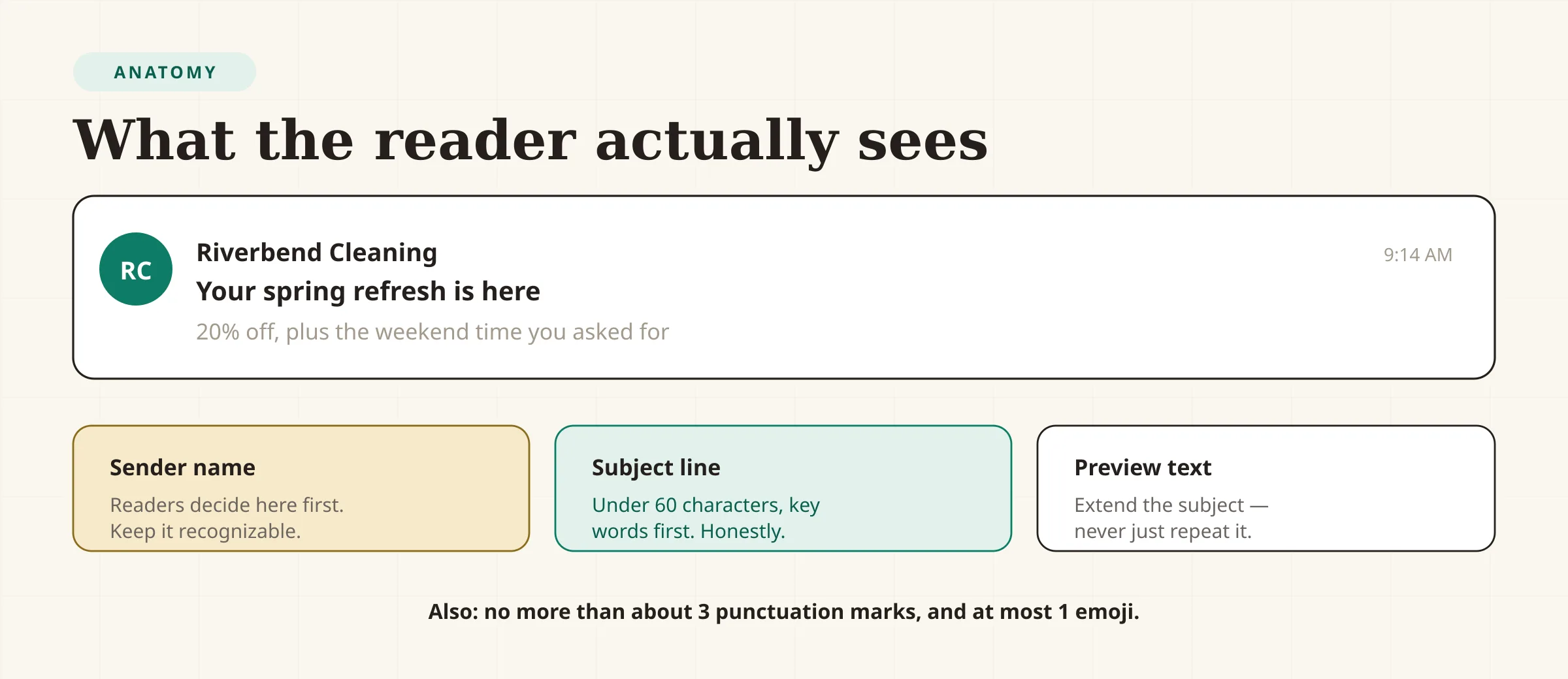
- The preview text. The gray sentence next to the subject line in most inboxes. Treat it as a second subject line that continues the thought rather than repeating it.
- The relationship. The cheapest subject line in the world won't save a list that doesn't want to hear from you. Deliverability, relevance, and a real reason to write are upstream of everything else.
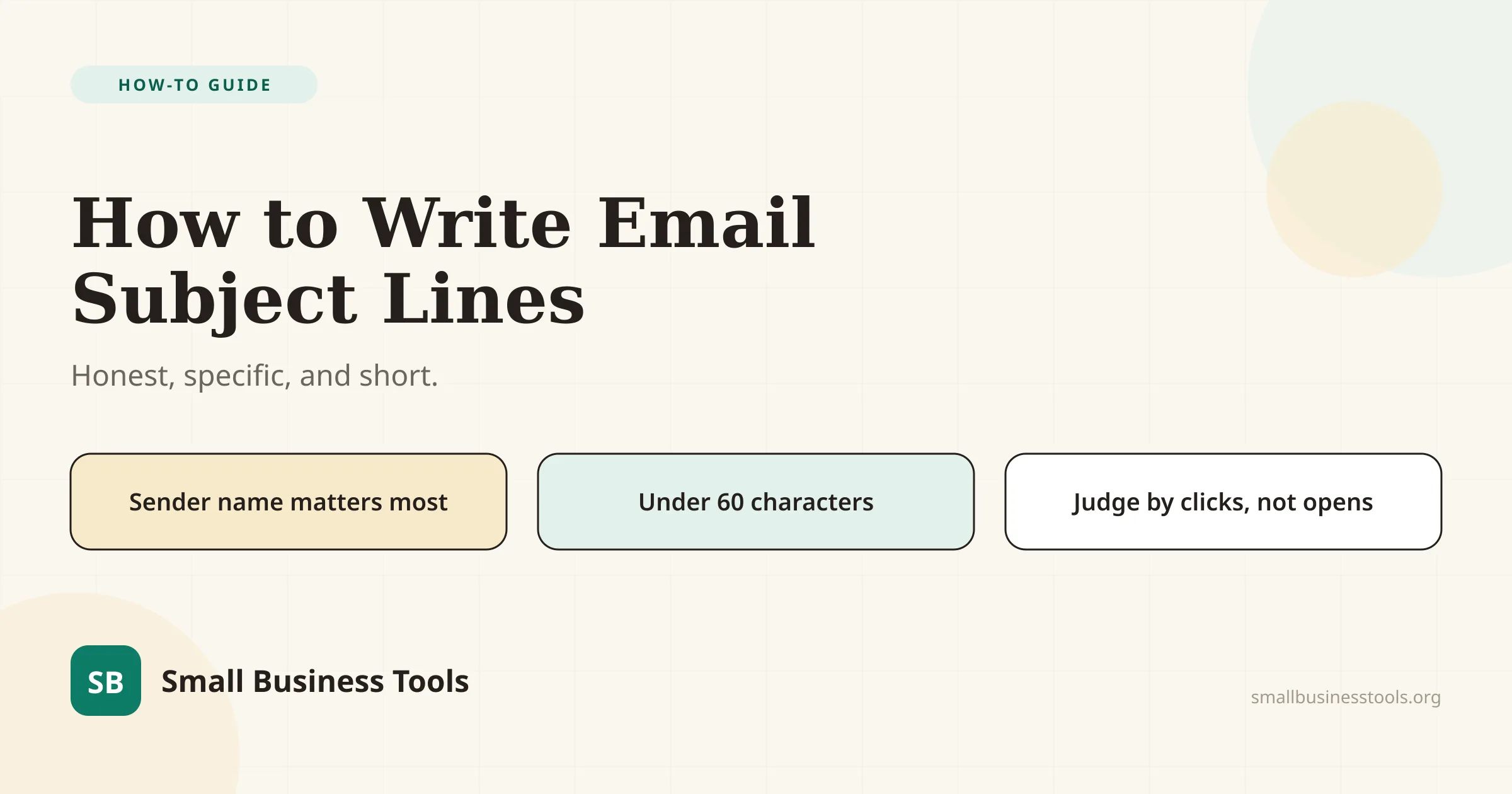
If you want a starting point, write one specific benefit in under 60 characters, put the most important words first, and let the preview text finish the sentence.
The Email Subject Line Generator drafts ten angles from a one-sentence description of your email — useful for breaking a blank page, not for replacing your judgment about what sounds like you.
The legal floor: the subject line has to be true
Before style, compliance. The FTC's CAN-SPAM guide lists "don't use deceptive subject lines" as one of its core requirements: the subject line must accurately reflect the message. A few practical consequences for a small sender:
- The subject line can't bait a switch. "Your refund is ready" for a marketing email is deceptive even if the email eventually mentions a discount.
- Transactional and marketing content mix carefully. If the subject line reads as commercial, the message is treated as commercial, with all the requirements that follow.
- Every commercial email needs a working opt-out and it must be honored within 10 business days (the mechanism has to remain valid for at least 30 days). A subject line that gets opens while the opt-out is broken isn't a win.
- The penalty is per email. At up to $53,088 each, this is not a rounding error for a business with a list.
None of that constrains good copywriting. It rules out the cheap tricks — fake "Re:" lines, "FINAL NOTICE," false urgency — that were never going to hold a customer's trust anyway.
The mechanics: length, first words, and preview text
These are the things you can control with certainty, before anyone tests anything.
Keep it short. Mailchimp's benchmark guidance recommends no more than 9 words and 60 characters, because mobile inboxes truncate long lines and most email is read on a phone. Front-load the point: the first three or four words are what a reader sees when the rest is cut off. "20% off ends Friday" tells the whole story; "A message from our team about a very special offer" tells none of it.
Go easy on punctuation. Mailchimp's own research suggests no more than 3 punctuation marks per subject line. Exclamation-heavy lines read as spam to both filters and humans.
Use at most one emoji, and test it. A single emoji can add warmth; several, or ones that render inconsistently across operating systems, look careless and can hurt deliverability. Emojis should supplement the words, never carry the meaning alone.
Write the preview text as a second line. In most inboxes the subject line and preview text sit together. If the preview repeats the subject, you've wasted a line. Use it to extend: subject "Your spring refresh is here" / preview "20% off, plus a new weekend time you asked for."
Don't forget the spam words. Classic triggers — "FREE!!!", "ACT NOW", "GUARANTEED", all-caps — give spam filters reasons to misroute you. Deliverability is a prerequisite for a subject line doing anything at all.
Six angles that give you something to write
Most subject lines that work fall into a handful of recognizable angles. Having the list means you can always generate a next attempt instead of staring at the cursor.
1. Benefit. State what the reader gets. *"Your spring refresh, 20% off."* For a promotion, the benefit is concrete and the reader can judge it without opening.
2. Specificity. One exact detail beats a vague promise. *"Sourdough secrets + our new weekend hours."* "March Newsletter" gets deleted; a real detail gets opened.
3. Curiosity (with a closed loop). Create a small gap the email closes. *"We saved you a spot (and 20%)."* The gap has to match the content — curiosity that turns out to be a bait-and-switch costs you the next open.
4. Question. Ask something the reader would answer yes to. *"Ready for a cleaner spring, Sarah?"* Works best when the sender already has a relationship.
5. Urgency or scarcity — only when real. *"20% off ends Friday"* is honest if it ends Friday. Manufactured urgency ("last chance" every week) trains readers to ignore you.
6. Personalization. A first name, a city, or a detail from their last order. Personalization can raise engagement but it can also misfire — a wrong name or an over-familiar tone is worse than none. Use it where the data is reliable.
A good subject line usually combines two: a specific benefit plus a real deadline, or a question plus the reader's name.
Write one in five steps
- Write the email's one job in a sentence — what the reader should know or do. If you can't, the subject line isn't the problem.
- Name the single most valuable detail — the discount, the deadline, the news. That detail goes first.
- Draft five angles, not one using the list above. The Email Subject Line Generator can produce ten in seconds to shortlist from; the AI Email Writer can help with the body once the subject is set.
- Cut it to 60 characters and check the preview text continues rather than repeats.
- Read it as the recipient. Does it sound like you? Is every word true? Would *you* open it?
What to measure — and why open rate is broken
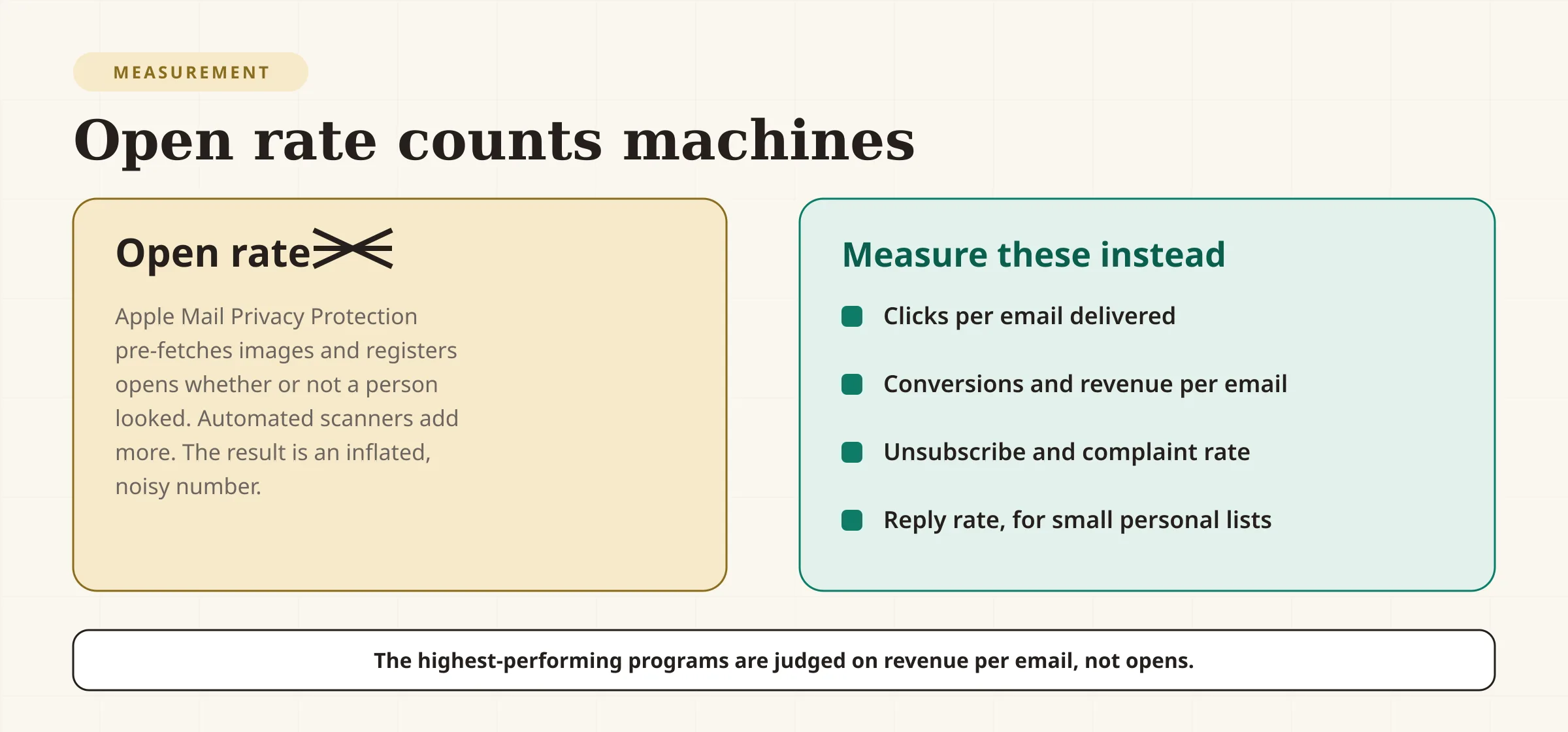
If you optimize the subject line for open rate, you are partly optimizing for a number that includes machines. Apple's Mail Privacy Protection fetches images automatically, registering opens whether or not a person looked; Litmus's 2026 report describes the resulting "phantom engagement" as making open rates unreliable. The industry isn't abandoning measurement; it's moving to better signals.
Measure these instead, in rough order of usefulness:
- Clicks per email delivered — did the subject line attract the right people, who then acted?
- Conversions and revenue per email — the outcome that actually pays the bills. Litmus reports the top-performing email programs (45:1 ROI or better) most often send relationship-building newsletters and onboardings, not promotional blasts.
- Unsubscribe and spam-complaint rate — a rising complaint rate is the clearest sign a subject line over-promised.
- Reply rate, for small, personal lists — a reply is the strongest engagement signal there is.
Then A/B test your top two subject lines if your platform supports it (most do, as a checkbox). Test *one* variable at a time — the angle, the length, the emoji — send both to small slices of the list, and let the winner go to the rest. Give it enough volume and at least a few sends before you trust a result; small lists produce noise, not answers.
Subject lines by email type
Different emails need different jobs done by the subject line:
- Promotion: lead with the benefit and, if it's real, the deadline. *"20% off spring cleaning, ends Friday."*
- Newsletter: lead with a specific piece of value inside. *"A sourdough shortcut + new weekend hours."*
- Abandoned cart: stay plain and useful; the reader knows what they left. *"Still want the walnut side table?"*
- Re-engagement: acknowledge the silence and give a reason to return. *"We've missed you — here's 15% off."*
- Announcement: name the change, not the excitement. *"Our hours change on April 1."*
- Transactional: tell them what happened, exactly. *"Your invoice #2041 is attached."* No marketing spin on a receipt.
Common mistakes
- Writing the subject line last, then settling for the first thing that comes to mind.
- Deceiving the reader — the CAN-SPAM violation that also kills trust and future opens.
- Going over ~60 characters, so the interesting half is truncated on mobile.
- Leaning on spam triggers — ALL CAPS, multiple exclamation marks, "FREE!!!", "ACT NOW."
- Repeating the subject in the preview text instead of extending it.
- Manufacturing urgency that isn't real, which trains readers to discount you.
- Judging everything on open rate, now an unreliable signal inflated by automatic pre-fetching.
- Testing too many things at once, so you learn nothing about what caused the change.
- Ignoring the sender name, which readers use more than the subject to decide.
Checklist
- Subject line accurately reflects the email (CAN-SPAM)
- Under 60 characters, key words first
- No more than about three punctuation marks, at most one emoji
- Preview text extends the subject instead of repeating it
- Sender name is recognizable and consistent
- One primary angle chosen from the list
- No spam-trigger phrasing
- Click and conversion tracking in place (with UTM tags) to judge it
- A/B test set up on one variable at a time, if volume allows
FAQs
How long should an email subject line be?+
Short enough to avoid truncation on a phone — Mailchimp's guidance is no more than 9 words and about 60 characters — with the most important words first. Assume the tail will be cut off and write accordingly.
What makes a good subject line for a small business?+
Specificity and trust: say what the email actually contains, in your own voice, with a concrete detail (the discount, the deadline, the news). Honesty isn't just good manners — CAN-SPAM requires the subject line to reflect the message.
Do I need to worry about email marketing law?+
Yes. Under the CAN-SPAM Act, the subject line must accurately reflect the message, and every commercial email needs a clear opt-out you honor within 10 business days. Each violating email can carry a penalty of up to $53,088.
Should I use emojis in subject lines?+
At most one, and test it — emojis render differently across operating systems and too many can look spammy. Use one to support the words, never to replace them.
Is open rate a good way to judge a subject line?+
Increasingly no. Apple's Mail Privacy Protection and automated scanning register opens without a person reading, so open rates are inflated and noisy. Judge subject lines by clicks per email delivered, conversions, revenue per email, and complaint rate instead.
How do I A/B test a subject line?+
Send two versions to small slices of your list, hold everything else constant, and let the version with the better click or conversion rate go to everyone else. Test one variable at a time and allow enough volume before trusting the result.
What's the best subject line for a newsletter?+
One that names a specific piece of value inside — a tip, a new product, a piece of news — rather than announcing that a newsletter exists. "This month at the shop" is weaker than "New weekend hours + our sourdough shortcut."
Can I reuse subject lines that worked before?+
Sometimes, but change the detail. Readers notice repetition, and a line that performed last quarter may underperform now. Keep a list of angles that worked, not a single magic sentence.
What to do next
Write your next subject line with the four-part checklist in mind: a recognizable sender, a specific honest promise under 60 characters, and a preview text that finishes the thought. If the blank page is the obstacle, generate a batch of angles with the Email Subject Line Generator and pick the one that sounds like you. Then tag the links with the UTM Link Builder so you can judge the result by clicks and revenue rather than by an open rate that counts machines. If your list itself is the weak link, start with Best Free Email Marketing Tools; if the body copy needs help, the Best Free AI Writing Tools roundup covers the editors that polish it.
Free tools to try
Email Subject Line Generator
Get high-open-rate subject lines for your next campaign.
AI Email Writer
Draft complete business emails — follow-ups, outreach, reminders — from one line.
UTM Link Builder
Tag campaign links with utm parameters so analytics shows what actually worked.
Meta Description Generator
5 meta description options, 120–155 characters, keyword included.
Keep reading
Guide
Best Free Email Marketing Tools for Small Business (2026)
13 free email marketing tools ranked by what you really get free after 2026's big plan cuts — PosterMyWall, Kit, Sender, Brevo and more, with real limits.
Guide
Best Free CRM for Small Business (2026)
12 free CRMs ranked by real limits — Zoho, Freshsales, HubSpot, Bitrix24 and more, with true user caps, contact caps, and upgrade costs as of July 2026.
Guide
Best Free AI Writing Tools for Small Businesses
12 AI writing tools ranked for small businesses — pricing, pros, cons, and features. From ChatGPT and Claude to free, no-signup generators for repeat jobs.