Guide
Meta Muse for Small Business: What It Does and Costs
On September 29, 2026, Meta launched Muse for Small Business, an expansion of the personal AI agent it introduced earlier in the month, aimed squarely at owners who are "short on hours, not ideas." The pitch is not another chatbot you have to feed prompts to. Muse connects to the software your business already runs on — including Shopify, Intuit QuickBooks, Stripe, Canva, Slack, and your Facebook, Instagram, and Meta ad accounts — then works toward a goal you give it, like finding new customers or pulling together a growth plan. You can read the announcement on Meta's newsroom.
That connector list is the whole story. A generic assistant knows nothing about your margins, your overdue invoices, or what your customers keep asking. An agent wired into QuickBooks and your store can, in theory, answer "how did last month actually go, and what should I do next?" with your real numbers. For a one- or two-person business, that is the difference between a toy and a teammate.
The catch is that "agentic AI" is the most oversold phrase in software right now, and Meta's own pricing, availability, and usage limits decide whether this is useful or a demo. This guide covers what Muse for Small Business actually does today, what it costs, which tasks to hand over first, and the guardrails to set before you connect anything sensitive.
Quick answer
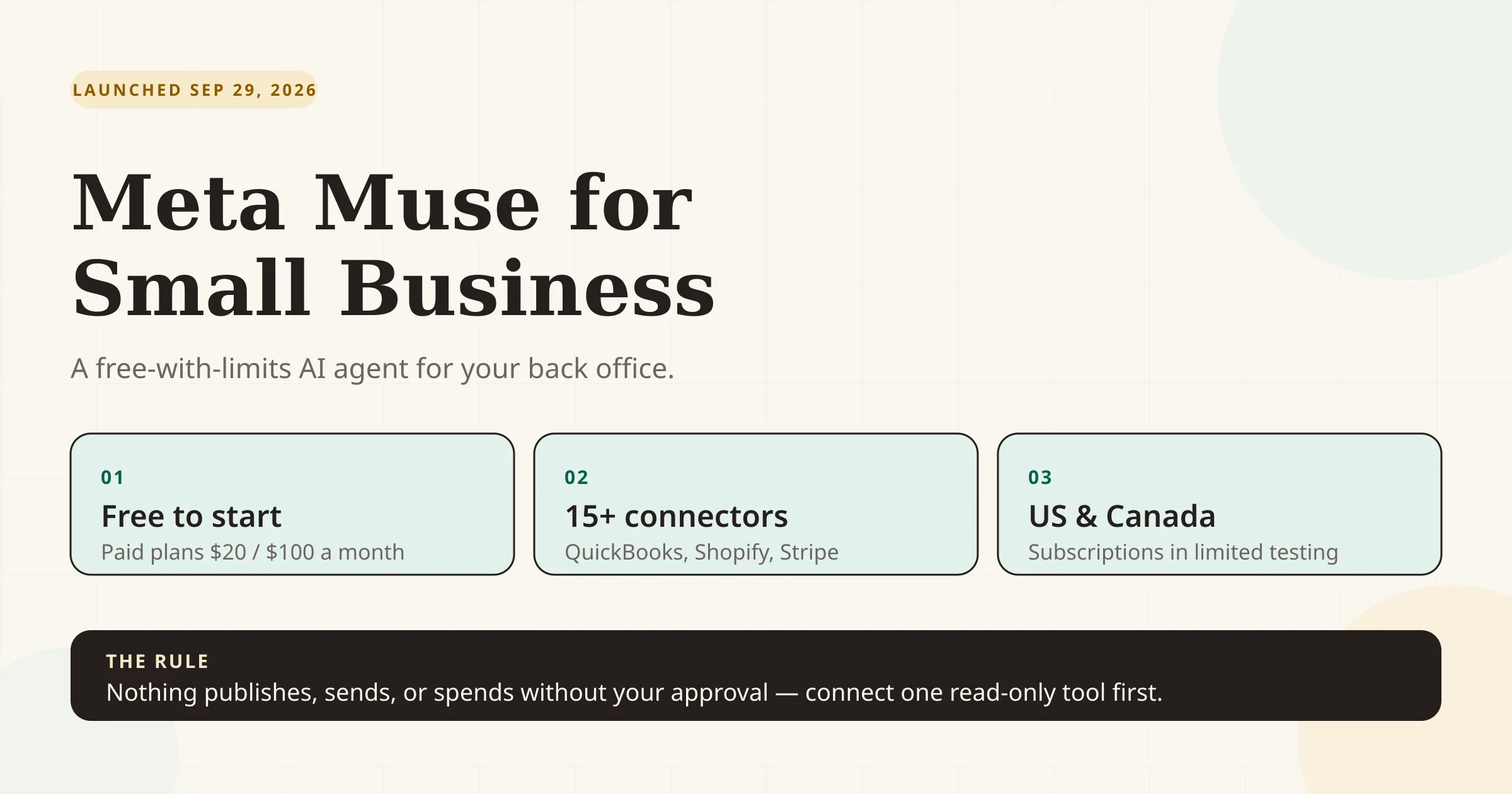
Meta Muse for Small Business is a free-with-usage-limits AI agent for owners in the US and Canada that connects to 15+ business tools and your Meta business accounts, then takes actions toward goals you set. It is genuinely useful for research, drafting, and pulling together numbers from connected apps. It is not a replacement for your accountant, and it will not run payroll, close your books, or file your taxes. Start with one or two read-only connectors, keep approval switched on, and expand only once you trust the output.
Key takeaways
- Announced September 29, 2026, in the US and Canada, free with a usage limit; paid plans are USD $20/month and $100/month.
- It connects to the tools you already use — Shopify, QuickBooks, Stripe, Canva, Klaviyo, Slack, Notion and more — plus Facebook Pages, Instagram analytics, and Meta ad accounts.
- Nothing publishes, sends, or spends without your approval, per Meta. That is a design promise to verify, not a guarantee to trust blindly.
- The QuickBooks connector is the one that matters most for money tasks: P&L and cash-flow review, balance-sheet comparisons, top customers and products, and creating and sending payment-enabled invoices.
- High-stakes finance stays in QuickBooks. Payroll, closing the books, and tax filing are deliberately left to the full QuickBooks platform, not the agent.
- Subscriptions are in limited testing and are billed per Meta account. There is no announced team plan, so a three-person business means three subscriptions if everyone wants their own.
What changed
Meta has had a consumer AI assistant for a while. What is new is Muse — a personal agent that works toward longer-term goals rather than answering one prompt at a time — and now a small-business edition of it.
- September 8, 2026: Meta introduces Muse, its personal AI agent, in the US and Canada. It quickly topped the US and Canadian app charts ahead of ChatGPT's early mobile launch, according to TechCrunch.
- September 28, 2026: Meta announces the Meta Enterprise Platform and hires former MongoDB CEO Chirantan "CJ" Desai to lead its push into business AI — the commercial context for the small-business launch.
- September 29, 2026: Muse for Small Business ships, adding business "skills" and a set of app connectors to the same agent.
- October 1, 2026: Intuit QuickBooks goes live as a launch connector, turning Muse into something that can read your books and send invoices.
Meta is not doing this out of charity. It has roughly 200 million small businesses on its apps, per CNBC, and it wants a return on its AI spending. Expect the agent to nudge you toward Meta's own surfaces — ads, pages, messaging — over time.
What Muse actually does
Muse works in two layers: skills (the jobs it can do) and connectors (the apps it can reach). Give it a goal and it plans across the connected tools, then asks you to approve actions.
Meta's own example prompt is blunt about the ambition: *"Analyze this year's sales, campaigns, and social and make me a growth plan to meet my business goals for next year."* The more you connect, the more that answer reflects your actual business.
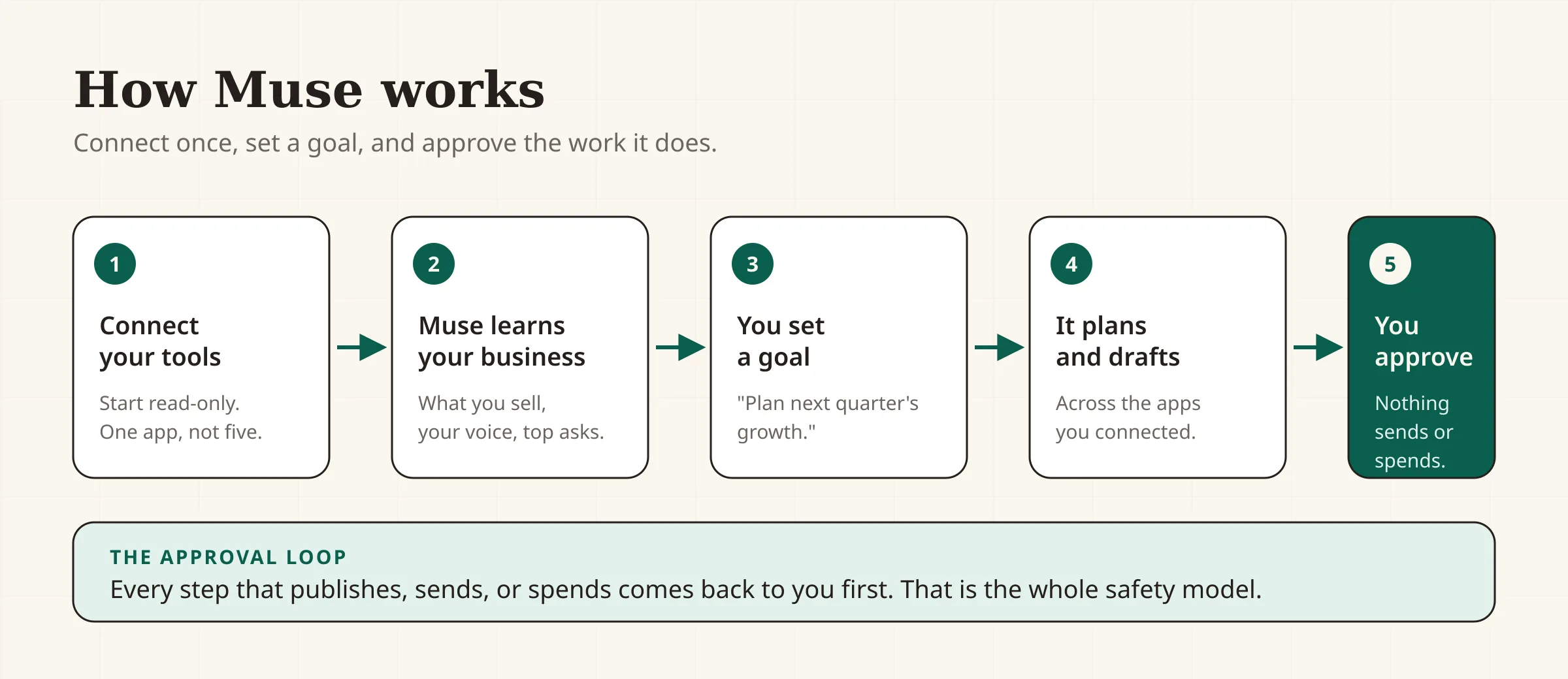
Here is what the named connectors unlock, based on Meta's and Intuit's descriptions:
| Connector | What Muse can do with it | Worth knowing |
|---|---|---|
| Intuit QuickBooks | Review P&L and cash flow, check your balance sheet against industry peers, see top customers and products, create and send payment-enabled invoices, chase overdue invoices | Payroll, closing books, and tax filing stay in QuickBooks itself |
| Shopify | Work with your storefront, products, and orders | Requires a Shopify account; scope depends on permissions |
| Stripe | Pull payment data into cash-flow and sales answers | Read/write scope varies by connector |
| Meta ad accounts | Analyze ad performance; draft campaign changes | Nothing spends without approval |
| Facebook Pages & Instagram professional analytics | Understand what customers ask, how posts perform, and your brand voice | Business accounts only |
| Canva, Figma, Dropbox, Box | Pull brand assets and templates into content tasks | Canva called it "your favourite Canva templates… right there" |
| Slack, Notion, Asana, Zoom, HighLevel, Klaviyo, Lovable, Granola | Coordinate tasks, projects, email/SMS marketing, and meetings | Availability varies; check Muse settings for the live list |
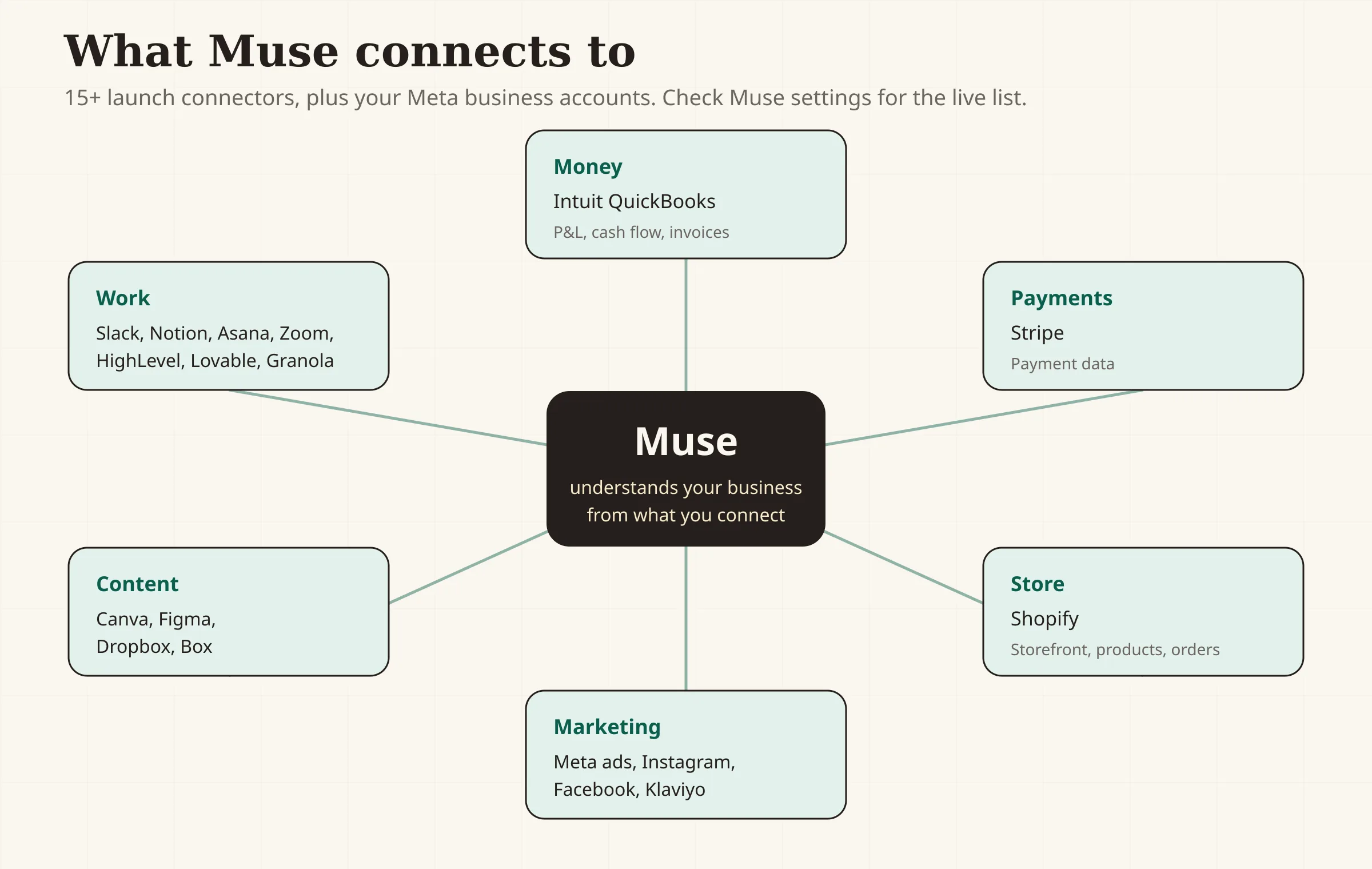
Muse also supports custom connectors, so you can wire in a service Meta does not yet support. Interested partners can apply through Meta's Muse platform page.
What Muse costs
Meta is using the same subscription model it set for the personal agent. The headline is that most of what a small business needs is free, with a usage cap; heavier users pay for a bigger weekly allowance.
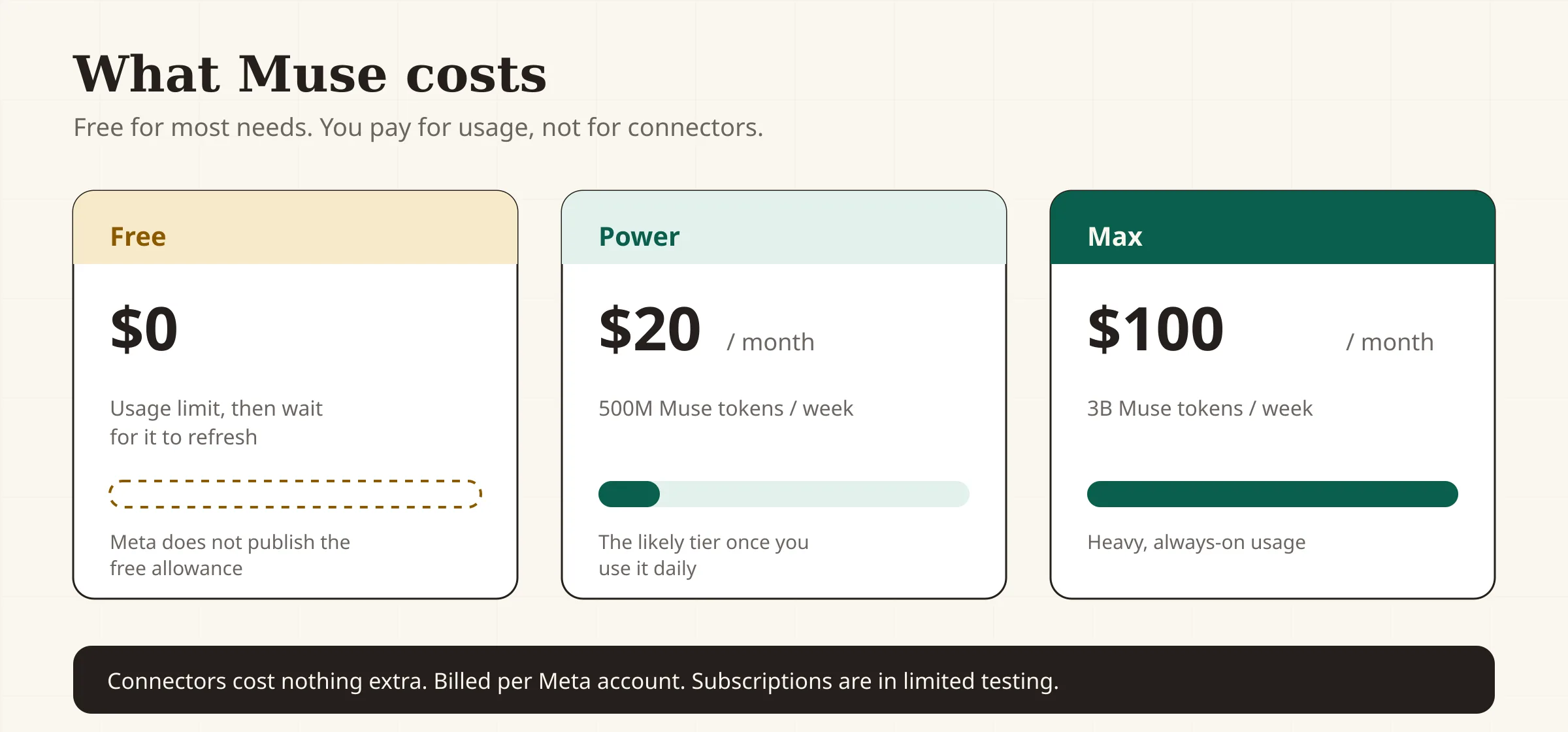
| Plan | Price | Weekly usage allowance | Notes |
|---|---|---|---|
| Free | $0 | Usage limit, then wait for it to refresh | Enough to test connectors and routine tasks |
| Power | USD $20/month | 500M Muse tokens per week | The likely tier for daily use |
| Max | USD $100/month | 3B Muse tokens per week | Heavy, always-on usage |
Source: Meta Help Centre — About Muse subscriptions. Two things to note. First, the connectors cost nothing extra — you pay for usage, not for plugging in QuickBooks or Shopify. Second, subscriptions are per Meta account and are described by Meta as being in limited testing, so the exact free allowance and availability can change.
If you are deciding between Power and Max, the honest test is this: run the free tier for two weeks on your real work. If you keep hitting the limit mid-task, $20/month is cheap against an hour of your time. If you never hit it, stay free.
Who is affected
This is for you if:
- You run a 1–20 person business in the US or Canada and already live in one or two of Meta's tools, QuickBooks, Shopify, or Stripe.
- You are the bottleneck on admin, marketing, and reporting, and you want an agent to draft, summarize, and chase rather than a tool to babysit.
- You want a free starting point before committing to another subscription.
This is not for you yet if:
- You are outside the US or Canada — Muse is not available there.
- You run a business where every finance action needs an accountant's sign-off and you have no appetite for a new data-sharing surface.
- You need a team workspace with shared seats and admin controls; Meta has not announced one.
- Your stack is Google Workspace + Xero + a non-Shopify store — you can still use Muse, but the connectors that make it useful are thinner.
What to do now
Treat the first two weeks as a controlled pilot, not a rollout. Connect least-sensitive first, verify everything, and keep approval on.
- Decide what you want Muse to own. Pick one job: "answer how last month went," "draft and send overdue-invoice reminders," or "plan next month's content." Vague goals get vague output.
- Start with one read-only connector. QuickBooks or Shopify, not both. Let Muse read first. Do not enable sending or spending on day one.
- Set up your business context once. Connect your Facebook Page, Instagram professional account, and Meta ad account so Muse knows your brand voice and what customers ask.
- Verify the first financial answer by hand. Ask for last quarter's profit and cash flow, then check it against QuickBooks yourself. If the numbers are right, trust grows; if not, you have found the limit before it cost you.
- Keep "approval required" switched on for anything that publishes, sends, or spends. Meta says this is the default — confirm it in your settings anyway.
- Move one task at a time to semi-automated. For example: let Muse draft overdue-invoice reminders, but you review and send for the first month.
- Watch your usage for two weeks. If the free tier fits, keep it. If not, the $20 Power plan is the natural next step.
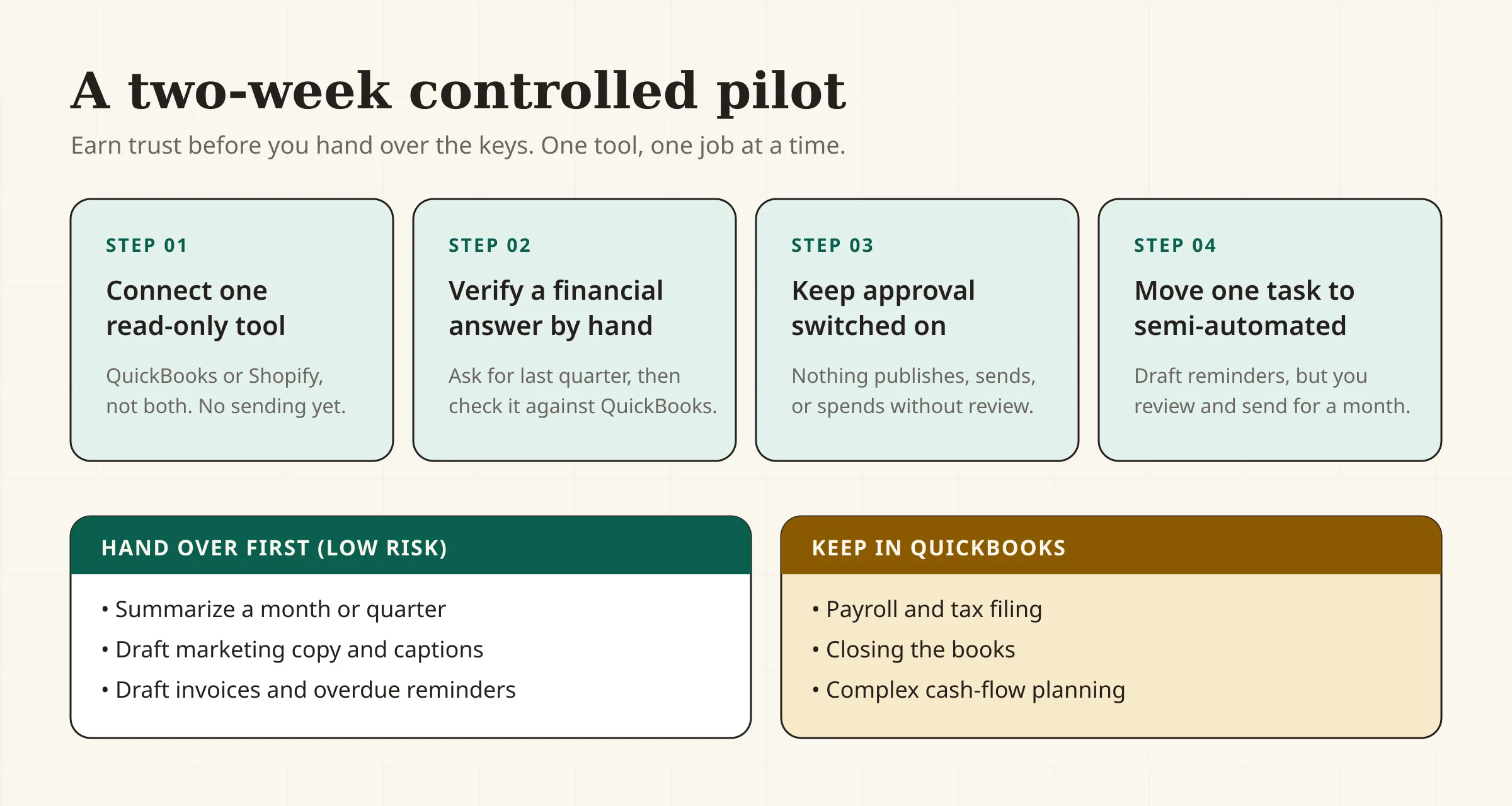
Tasks worth handing over first (low risk, clear payoff):
- Summarizing a month or quarter from connected data.
- Drafting marketing copy and social captions in your brand voice.
- Drafting and sending payment-enabled invoices and overdue reminders.
- Turning a rough idea into a content or campaign plan.
Tasks to keep in QuickBooks or with your accountant:
- Payroll and tax filing.
- Closing the books.
- Complex cash-flow scenario planning.
A worked example
Say you run a two-person plumbing business doing about $18,000 a month in revenue, invoicing through QuickBooks and running a modest Instagram presence. Here is a realistic first month with Muse:
- Week 1 — read only. You connect QuickBooks and your Instagram professional account. You ask, "How did last quarter compare to the one before, and which jobs were most profitable?" Muse pulls P&L and cash-flow figures and flags that service calls, not installs, drove the margin.
- Week 2 — draft only. You ask Muse to draft reminders for invoices over 30 days. It writes three emails in your tone. You edit one, send all three yourself. Two get paid within the week — but you would have sent them anyway.
- Week 3 — approve in-app. You let Muse create and send one payment-enabled invoice for a completed job. You check the amount and terms before it goes. The customer pays the same day.
- Week 4 — review cost. You are on the free tier and used roughly two-thirds of the weekly allowance on active weeks. You stay free.
The value is not magic. It is that the "who owes me money, and how did we do" questions, which used to cost you an evening, now cost a couple of prompts. That is worth $0, and possibly $20 a month — and nothing more, unless your usage says otherwise.
Where SBT's free tools fit
Muse is good at drafting and summarizing; SBT's tools are good at producing a finished, ready-to-use artifact in seconds, with no connector and no account.
- When Muse proposes an invoice, generate the clean PDF with our Invoice Generator.
- When it drafts a reminder or follow-up, tighten the wording with the AI Email Writer.
- When it sketches a campaign, turn the idea into publishable copy with the Content Writer or the Meta Ads Copy Generator.
If you want the wider picture of which tools earn their place, see our guide to the small business AI stack.
Risks and caveats
- Availability is limited. Muse for Small Business is US and Canada only, and Meta says the paid subscriptions are in limited testing. Do not build a process around it if you are elsewhere.
- Usage limits are the real cost driver. The free tier caps how much the agent can do; the paid tiers exist precisely because heavy use burns tokens. Budget for it if you make Muse a daily habit.
- Verify before you trust. Agentic tools make confident mistakes. Check the first financial answers by hand, and keep approval on for anything that sends or spends.
- Data-sharing is real. A connector exchanges your business data with Muse. Connect incrementally and read each connector's permissions rather than clicking "allow all."
- Meta has its own interests. Meta earns from ads, so expect the agent to be comfortable steering you toward Meta's surfaces. Judge those suggestions like any other vendor's.
- No team plan. Subscriptions are per Meta account. Shared seats, roles, and admin controls are not part of this launch.
- It is not an accountant. Muse reads and drafts; it does not file, advise on tax, or carry professional liability. Keep a human in the loop for money.
The bottom line
Muse for Small Business is the clearest example yet of an AI agent built for owner-operators rather than enterprises — and the price of entry is zero. The right move is not to connect everything and hope. It is to pick one job, connect one read-only tool, verify the first answer, and earn the trust to go further. Do that for two weeks, and you will know whether this is a $0 habit or a $20-a-month teammate.
Sources
- Meta Newsroom — "The Future Is for Everyone: Muse for Small Business" (September 29, 2026)
- Meta Help Centre — "About Muse subscriptions" (plans, weekly token allowances, limited testing)
- Meta — Muse for Small Business product page
- Intuit Blog — "Intuit QuickBooks Joins Muse for Small Business" (October 1, 2026)
- TechCrunch — "Meta is expanding its AI agent Muse to small businesses" (September 29, 2026)
- CNBC — "Meta is bringing Muse AI to small businesses" (September 29, 2026)
FAQs
Is Meta Muse for Small Business free?+
Yes, for most uses. Meta offers Muse for free with a usage limit, then two paid tiers: Power at USD $20/month (500M Muse tokens per week) and Max at USD $100/month (3B Muse tokens per week). The connectors themselves cost nothing extra; you pay for usage.
Which apps does Meta Muse connect to?+
At launch Meta named Asana, Box, Canva, Dropbox, Figma, Granola, HighLevel, Intuit QuickBooks, Klaviyo, Lovable, Notion, Shopify, Slack, Stripe, and Zoom, plus Facebook Pages, Instagram professional analytics, and Meta ad accounts. Muse also supports custom connectors. Check Muse's settings for the current live list.
Can Muse send invoices and chase late payers?+
Yes, through the Intuit QuickBooks connector. Intuit says businesses can ask Muse to create and send payment-enabled invoices and to track overdue invoices and send reminders. Payroll, closing the books, and tax filing stay in QuickBooks rather than the agent.
Where is Muse for Small Business available?+
In the US and Canada at launch. Meta says the paid Muse subscriptions are in limited testing and are not available in all locations yet, so benefits can vary by region and account.
Will Muse spend my money or post without asking?+
Meta says nothing publishes, sends, or spends without your approval, and that you set the guardrails. Treat that as a design promise to verify: confirm the approval setting in your Muse preferences and test on a low-stakes task before relying on it.
Is Muse a replacement for my accountant or bookkeeper?+
No. Muse reads your books and drafts actions, but it does not file taxes, run payroll, close your books, or carry professional liability. Use it to remove admin work and surface questions, then keep a qualified human on the decisions that carry real financial or legal risk.
Free tools to try
Invoice Generator
Create a professional invoice and download it as a PDF in 30 seconds.
AI Email Writer
Draft complete business emails — follow-ups, outreach, reminders — from one line.
AI Content Writer
Draft blog posts, captions, and marketing copy in your brand voice.
Meta Ads Copy Generator
Get 3 Facebook & Instagram ad variants — primary text, headline, description.
Keep reading
Guide
The Small Business AI Stack: Tools for Every Job in 2026
A practical AI stack for small businesses — the tools that actually save time on marketing, content, SEO, and admin, organized by the job they do. Free where it counts.
Guide
How to Get Recommended by ChatGPT & AI Search
What makes AI assistants recommend your business: which crawlers to allow, what the evidence says about schema and llms.txt, and how to measure it.
Guide
Best Free Accounting Software for Small Business (2026)
12 accounting tools ranked for small businesses — real free-tier caps, current pricing, pros and cons for Wave, Zoho Books, GnuCash, QuickBooks, Xero and more.
Guide
How to Write an Invoice (With a Free Template)
How to write an invoice that gets paid: the 10 elements every invoice needs, a copy-paste template, numbering and payment terms, and a worked example.