Accessibility
PDF Accessibility Checker
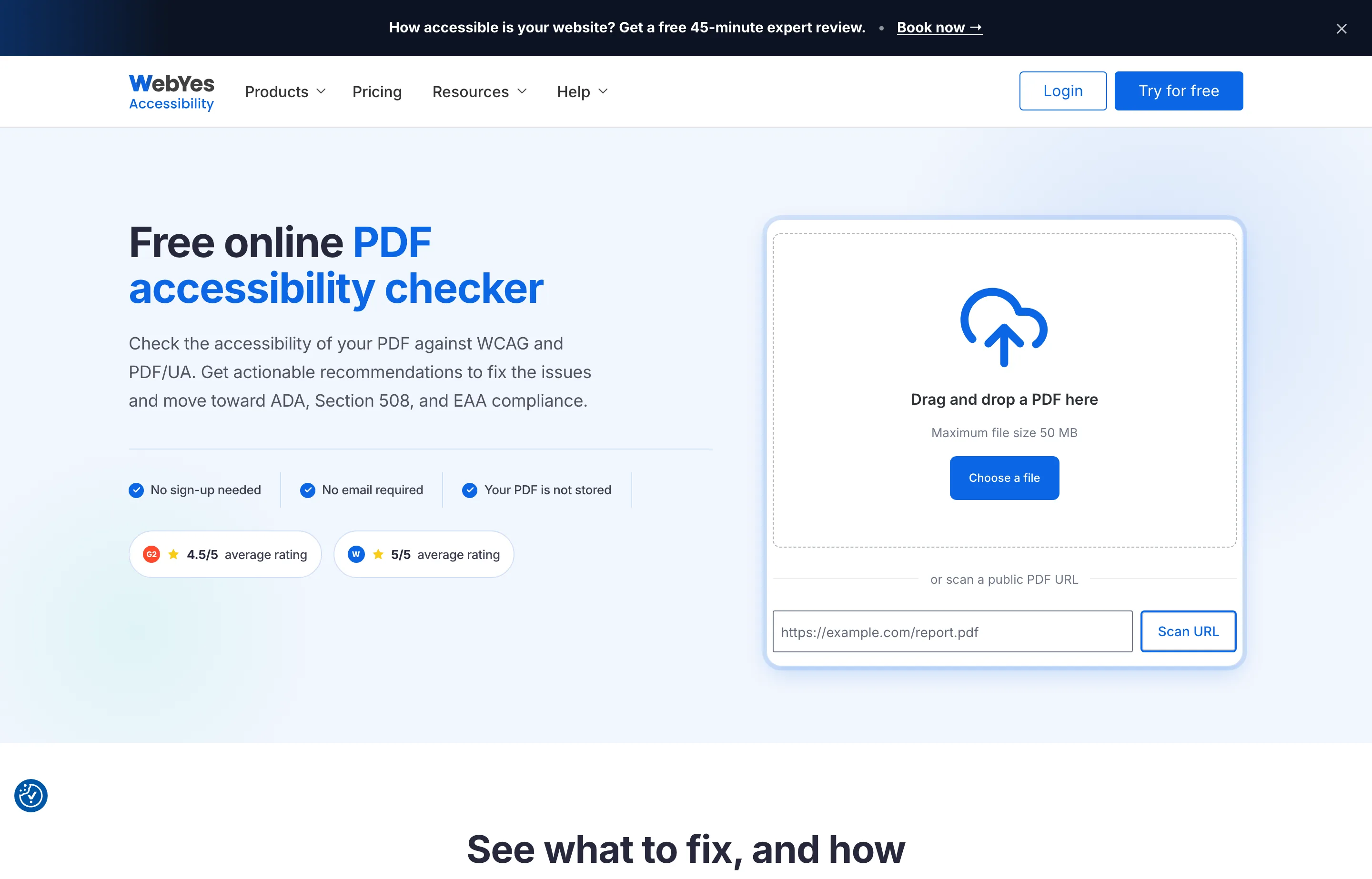
PDF Accessibility Checker is a free online tool from WebYes that scans a PDF against WCAG and PDF/UA, then lists every issue worst-first with guidance on how to fix it. Upload a PDF up to 50MB or paste a public link — no signup, no email, and the file isn't stored. Click any issue to jump straight to the problem element highlighted on the page.
It launched on Product Hunt on October 26, 2026 at #6 of the day with 172 points and 28 comments. The tool itself is free; WebYes is an established accessibility vendor whose team holds IAAP and DHS Trusted Tester certifications, and it sells expert audits and remediation as paid services on top.
The honest limit is baked into the name: it catches what a *machine* can verify. Reading order, alt-text quality, and logical structure still need a human judgment call, which is exactly what WebYes's paid audit is for. A clean scan means you passed the automatable checks, not that the PDF is fully compliant.
- Website
- webyes.com
- Category
- Accessibility
- Pricing
- Free
- Starts at
- Free
- Best for
- Owners who need accessible PDFs for clients, grants, or compliance.
- Profile updated
- October 29, 2026
Independent profile — no affiliate links or sponsored placement.
Key features
- Free WCAG and PDF/UA scan — checks every machine-verifiable success criterion (WCAG A/AA) and PDF/UA (ISO 14289)
- Worst-first issue ranking — critical to minor, so you fix what matters first
- Highlighted problems — click an issue to jump to the element on the PDF
- Fix guidance — each issue maps to the WCAG or PDF/UA rule and explains how to fix it
- No signup, no storage — upload up to 50MB or paste a link; nothing is kept
- Compliance framing — flags issues affecting ADA, Section 508, and EAA compliance
Pricing
Read from WebYes's PDF checker page in October 2026 (verify current). The checker is free — no signup, no email, no file storage. The optional paid services WebYes sells alongside it are:
- Expert PDF audit — a specialist manually tests what automation can't judge (reading order, alt-text quality, logical structure) and returns a findings report
- PDF remediation — WebYes fixes tags, structure, and content to meet WCAG and PDF/UA
Those are quote-based services; the checker itself costs nothing.
Pros and cons
Pros
- Genuinely free with no signup and no file storage — ideal for one-off checks
- Issues are ranked and explained, so you can fix them yourself
- Backed by an established accessibility vendor with certified staff
Cons
- Machine checks only — a clean scan doesn't mean full compliance
- It finds issues; it doesn't fix them (fixing is a separate paid service)
- PDFs only — not a whole-site accessibility tool
Who should use the PDF Accessibility Checker?
The checker is for any owner who publishes PDFs — proposals, invoices, menus, reports, grant applications, or contracts — and needs them to be readable by screen readers and keyboard navigation, whether for a client, a government submission, or ADA/Section 508/EAA exposure. Run the free scan first, fix what it flags, and only reach for the paid audit when a document is legally sensitive and the manual checks matter.
Its 172-point, 28-comment launch is launch-day interest; WebYes's track record as an accessibility vendor is the more durable signal as of October 2026.
FAQs
Is the PDF accessibility checker really free?+
Yes — completely free, with no signup, no email, and no file storage. Upload a PDF up to 50MB or paste a public link.
What does it check?+
Every machine-verifiable success criterion of WCAG (Level A and AA) and every machine-verifiable test in PDF/UA (ISO 14289) — structure, content, reading order, alt text, contrast, forms, and tab order.
Does a clean scan mean my PDF is compliant?+
No. A clean scan means it passed the automatable checks. Reading order and alt-text quality still need human judgment — WebYes's paid audit covers those manual checks.
Does it fix the issues?+
No — it finds and explains them. You apply the fixes yourself, or WebYes offers paid PDF remediation as a separate service.
Similar tools in the directory
SEO Software
FreeScan.app
Builders who want a free public-page SEO/AEO/security audit before launch.
Marketing Automation
ActiveCampaign
Small businesses that have outgrown newsletter tools and want deep, trigger-based automation without enterprise complexity.
Content Marketing
AdAnt AI
Ecommerce and app brands that need a steady stream of short-form video ad variants without booking creators or an agency.