Accounting & Bookkeeping
SyncStaq
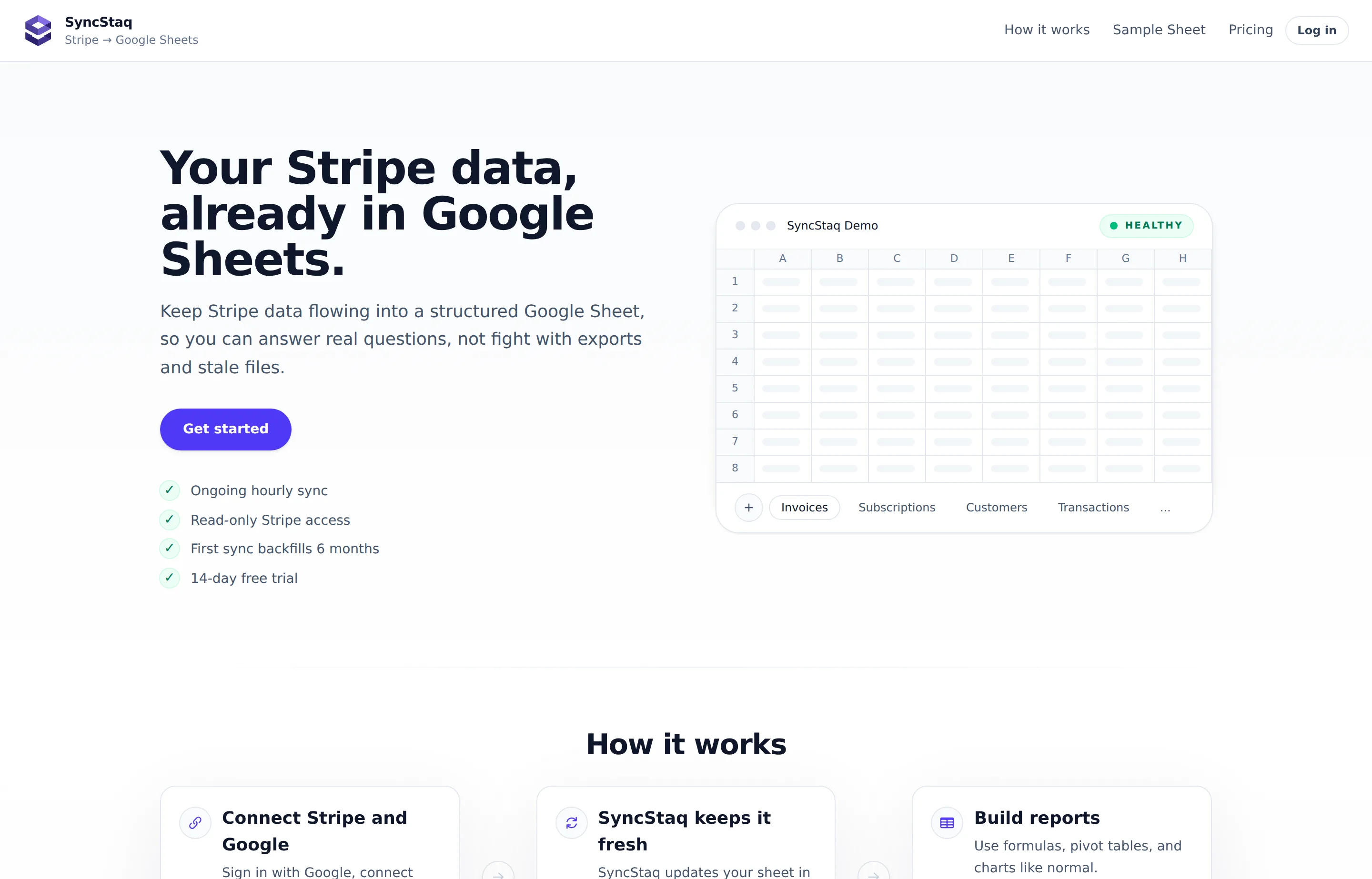
SyncStaq does one job: it keeps your Stripe billing data mirrored into a Google Sheet, refreshed hourly, so you stop exporting CSVs from the Stripe dashboard. Charges, invoices and line items, customers, subscriptions, payouts, and disputes each land in their own structured tab. It launched on 1 August 2026 and placed #9 on Product Hunt that day with 108 points and 10 comments.
Set expectations correctly: this is not accounting software. It doesn't keep a ledger, categorise expenses, track mileage, or produce a P&L — it's a data pipe from Stripe into a spreadsheet where you build your own reporting. The genuinely clever part is that it syncs from Stripe's *event stream* rather than polling by creation date, so a refund or dispute that lands weeks later updates the existing row instead of leaving a stale number in your sheet.
- Website
- syncstaq.com
- Category
- Accounting & Bookkeeping
- Pricing
- Paid
- Starts at
- $30/month (14-day free trial)
- Best for
- Stripe-based businesses that build their revenue reporting, commissions, or rev-share in a spreadsheet.
- Profile updated
- August 10, 2026
Independent profile — no affiliate links or sponsored placement.
Key features
- Hourly one-way sync from Stripe into a single structured Google Sheet
- Covers invoices and line items, charges, customers, payouts, subscriptions, and disputes across separate tabs
- Event-stream based, so refunds, disputes, and subscription changes update rows already written rather than going stale
- First sync backfills six months of Stripe history
- Read-only Stripe access — it cannot change anything in your Stripe account
- No code required; connect with Stripe-hosted checkout and Google sign-in
- Scoped Google permissions — SyncStaq states it only accesses Sheets created inside the app, leaving your other files alone
- Your own formulas, pivot tables, and charts sit on top of the synced data
Pricing
Read from SyncStaq's pricing page in August 2026 (verify current). There is one paid plan and no free tier:
- Free trial — 14 days, no credit card required, with the full hourly sync and the six-month backfill
- Pro — $30/month billed monthly — read-only sync of one Stripe account into one Google Sheet, hourly refresh, six-month initial backfill, all six data types, priority email support
Annual billing is offered and advertised as saving two months, which works out near $300/year (~$25/month). There are no long-term contracts and no per-seat charge; the limit is one Stripe account to one spreadsheet, so a second Stripe account means a second subscription.
Pros and cons
Pros
- The event-stream approach genuinely solves the stale-data problem that breaks CSV exports and most naive sync tools
- Read-only Stripe access and app-scoped Sheets permissions are the right security posture for something touching revenue data
- One flat $30, no seats, no row-count metering — easy to predict
Cons
- Stripe only. Apple and Google in-app purchases are described by the makers as "under investigation", so multi-rail businesses see a partial revenue picture
- Because later disputes and refunds rewrite rows in place, a number you reported last month can change — fine for live reporting, awkward if you've already filed something against it
- One Stripe account to one sheet; more of either costs another subscription
- Launched August 2026 with a thin signal (10 comments), no third-party reviews, and no named team — the site identifies only "Blue Planit LLC" as the parent
Who should use SyncStaq?
SyncStaq fits an owner or operator who takes payment through Stripe and does their real analysis in a spreadsheet — calculating partner rev-share, paying commissions, reconciling payouts, or building a revenue model the Stripe dashboard can't produce. If you currently export CSVs monthly and rebuild the same pivot each time, $30 buys that hour back permanently.
Don't buy it as a bookkeeping system. You still need QuickBooks Self-Employed or similar for expenses, categorisation, and tax-ready reports — SyncStaq only knows what Stripe knows, which is revenue. And if you take money through PayPal, Apple, or Google as well as Stripe, the sheet will only ever tell part of the story.
On evidence: SyncStaq has no third-party review listing on G2, Capterra, or Trustpilot as of August 2026. Its only public signal is that Product Hunt placement (#9 of 1 August 2026, 108 points, 10 comments) — launch-day community interest rather than reviews. The 14-day trial with no card required is the cheapest way to judge it yourself.
FAQs
Is SyncStaq free?+
No. There's a 14-day free trial with no credit card required, which includes the full hourly sync and six-month backfill, but no permanent free plan. After the trial it's $30/month as of August 2026.
How much does SyncStaq cost per month?+
$30/month billed monthly for the single Pro plan, covering one Stripe account synced to one Google Sheet. Annual billing is advertised as saving two months, putting it near $300/year, or about $25/month. There are no per-seat fees.
Can SyncStaq change anything in my Stripe account?+
No. Access is read-only, so it can pull data but cannot create, refund, or modify anything in Stripe. On the Google side, SyncStaq states it only accesses spreadsheets created within the app. Note that Stripe will show the connection as "Blue Planit LLC", the parent company.
Does SyncStaq replace accounting software?+
No. It moves Stripe revenue data into a spreadsheet — it has no ledger, no expense tracking, and no tax reporting. Treat it as a reporting input alongside proper bookkeeping software, not as a substitute for it.
Similar tools in the directory
Accounting & Bookkeeping
QuickBooks Self-Employed (now Solopreneur)
Freelancers and gig workers who want expenses, mileage, and quarterly tax estimates handled in one app.
Tax Software
TurboTax Business
S corps, partnerships, and multi-member LLCs that want the most guided DIY filing experience — or a full expert hand-off.
AI Notetakers
Ulpaso
Mac-using consultants and founders whose calls include sensitive details and who want notes as plain files they own forever.
Free tools to try
Keep reading
Guide
Best Free Accounting Software for Small Business (2026)
12 accounting tools ranked for small businesses — real free-tier caps, current pricing, pros and cons for Wave, Zoho Books, GnuCash, QuickBooks, Xero and more.
Guide
Break-Even Analysis: A Step-by-Step Guide
Break-even analysis explained step by step: the formula, fixed vs variable costs, contribution margin, and a worked example that finds the break-even point.